Summary
Retro console cables are one of the easiest things to lose and one of the easiest things to get wrong. A missing AV cable is annoying. A missing power supply can be dangerous if you replace it with the wrong one.
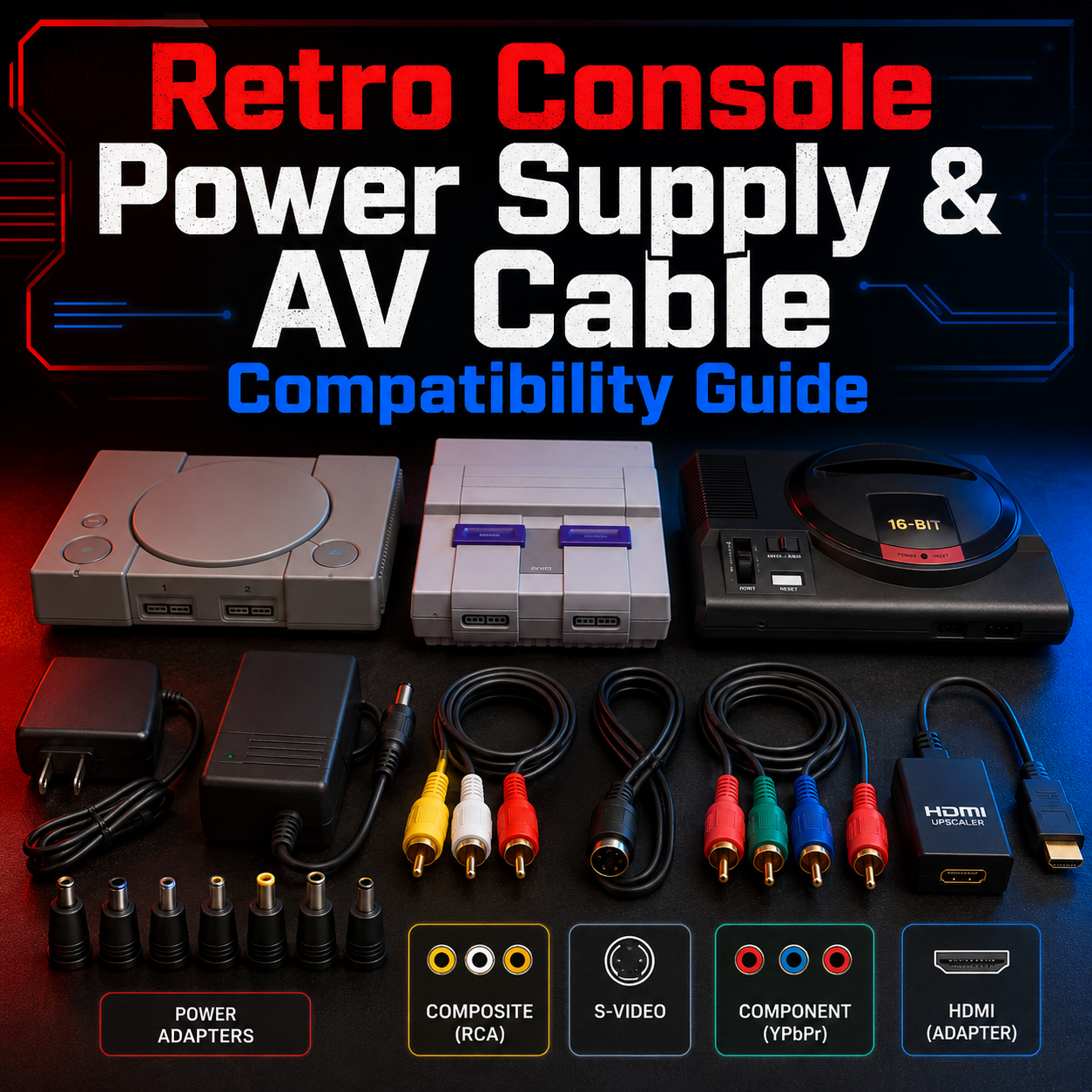
This guide is a deep compatibility and cross-reference guide for retro video game consoles, covering power supplies, AV cables, HDMI-style cables, S-Video, component cables, and common mistakes. It includes Nintendo, Sega, PlayStation, Xbox, Atari, TurboGrafx-16, Neo Geo, 3DO, Jaguar, handhelds, and more.
The most important rule is simple: do not assume a cable is safe just because it fits.
Power supplies can vary by voltage, amperage, AC vs DC output, barrel size, polarity, and console revision. AV cables are a little safer, but even there, one console family may share a plug while supporting different video signals depending on the system, region, and model. The Nintendo Multi Out is a great example: the SNES, N64, and GameCube use the same general connector style, but their actual video capabilities vary by console and region. (ConsoleMods)
At Power Up Gaming, we deal with this constantly. Customers bring in consoles with missing cords, wrong adapters, mystery power bricks, and bags full of cables that “probably go to something.” We carry practical cable options for many retro consoles, including AV cables, S-Video cables, component cables, AV to HDMI converter adapters, and Hyperkin HD cables for systems like Original Xbox, GameCube/N64/SNES, Dreamcast, PSP 2000/3000, Saturn, Genesis, Wii, PS1/PS2, and TurboGrafx-16.
This guide is meant to help you identify what works, what crosses over, what absolutely should not be mixed, and when it is better to ask before plugging something in.
The Golden Rule: If You Are Not Sure, Do Not Plug It In
A wrong AV cable usually just gives you no picture, bad colour, buzzing audio, or a weird signal.
A wrong power supply can do real damage.
Before using any power supply, check:
-
Voltage
-
AC or DC output
-
Amperage
-
Polarity
-
Plug size
-
Console model
-
Region
-
Whether the power supply is regulated
-
Whether it is original, third-party, or mystery junk
The phrase “it fits” means almost nothing.
Many older consoles use round barrel plugs. Some are centre-positive. Some are centre-negative. Some use AC output. Some use DC output. Some have the same shape but completely different electrical requirements.
That is how retro consoles get fried.
Understanding Power Supply Labels
Most power supplies have a label with important information.
You are looking for something like:
-
Input: AC 120V 60Hz
-
Output: DC 9V 850mA
-
Polarity: centre-positive or centre-negative
-
Model number: such as SNS-002, NES-002, MK-1602, SCPH-70100, etc.
Voltage
Voltage must match closely. A console expecting 9V DC should not be casually fed 12V DC unless you know the hardware can safely tolerate it. Some older consoles have internal voltage regulators, but that does not mean you should abuse them.
AC vs DC
This is huge.
Some power adapters output AC. Some output DC. These are not interchangeable unless the console was specifically designed to accept both, which is rare enough that you should not assume it.
Amperage
The adapter should provide at least the amount of current the console needs. More available amperage is usually fine because the console draws what it needs. Less amperage can cause instability, overheating, resets, or failure.
Polarity
For DC barrel plugs, polarity matters. A centre-negative power supply used on a centre-positive console can damage hardware. A centre-positive power supply used on a centre-negative console can do the same.
Plug Size
Plug size is not proof of compatibility.
This is the trap.

Understanding AV Cable Types
AV cables are usually less electrically dangerous than power supplies, but they can still be confusing.
Common retro video cable types include:
-
RF
-
Composite
-
S-Video
-
Component
-
RGB SCART
-
VGA
-
HDMI-style converter cables
-
Proprietary multi-out cables
RF
RF usually connects through coax and often uses channel 3 or 4. It is usually the worst picture quality but common on older consoles.
Composite
Composite is the yellow video cable with red and white audio. It is common, easy, and widely supported.
S-Video
S-Video is cleaner than composite when supported. It separates brightness and colour better.
Component
Component uses red, green, and blue video cables, usually with separate red and white audio. It is a big quality upgrade on supported systems.
HDMI-style retro cables
These are plug-and-play adapters that convert a console’s analog video output to HDMI. They are convenient, but they are not the same as internal HDMI mods or high-end scalers.
Power Up Gaming carries Hyperkin HD cables for several retro systems because they solve a real modern-TV problem without requiring console modification.
Important Note About This Guide
This guide is meant for North American and Canadian collectors first. PAL and Japanese models can sometimes use different power supplies, different voltages, different AV output options, or different connectors.
Always check the label on your exact console and power adapter.
When in doubt, bring it to Power Up Gaming and we can help identify it before you turn your childhood console into a tiny smoke machine.

Quick Power Supply Safety Ranking
Usually safer
-
Original OEM power supply for the exact console
-
High-quality modern replacement made specifically for that console
-
Regulated third-party adapter from a reputable brand
-
Correct voltage, correct polarity, correct amperage, correct plug
Riskier
-
Random thrift store adapter
-
Universal adapter with adjustable polarity
-
Adapter with no label
-
Adapter that “looks close”
-
Power supply from a different console family
-
Cheap multi-console power bricks
-
Anything that gets hot, buzzes, smells, or flickers
Do not use
-
Wrong polarity
-
Wrong AC/DC type
-
Damaged cord
-
Cracked power brick
-
Unknown adapter with missing label
-
Adapter that causes the console to reset or behave strangely
Nintendo Home Console Power and AV Compatibility
Nintendo is both simple and annoying.
Simple because the SNES, N64, and GameCube share the same general AV Multi Out family for many composite AV cables.
Annoying because power supplies are much more specific, and video signal support varies by console and region. ConsoleMods notes that Nintendo’s Multi Out connector was used across several home consoles, but the available signals differ depending on the system, region, and model. (ConsoleMods)
Nintendo Power Supply Cross-Reference
| Console | Power Supply Compatibility | Notes |
|---|---|---|
| NES Front Loader | NES-specific adapter | North American NES commonly used a unique power supply. Be careful with AC vs DC replacements. |
| NES Top Loader | NES-specific adapter | Similar caution as front loader. Always check model and label. |
| SNES | SNES-specific adapter | North American SNES uses SNS-002 style power. Do not assume NES and SNES are interchangeable. |
| SNES Jr. | SNES-compatible power | Usually uses the same general SNES power family, but confirm before use. |
| Nintendo 64 | N64-specific power brick | Proprietary slide-in power supply. Do not substitute with random adapters. |
| GameCube | GameCube-specific power supply | Official GameCube manuals instruct users to use the AC adapter that comes with the system. (Nintendo) |
| Wii | Wii-specific power supply | Proprietary Wii power brick. Not the same as Wii U. |
| Wii Mini | Wii-family power supply | Usually similar to Wii, but confirm exact model. |
| Wii U Console | Wii U console power brick | Not the same as Wii. |
| Wii U GamePad | Wii U GamePad charger | Separate charger from the console power supply. |
| Switch | USB-C Nintendo Switch AC adapter | Not retro yet, but often confused with other USB-C devices. |
| Switch 2 | Switch 2 AC adapter recommended | Nintendo notes the original Switch AC adapter output is insufficient for Switch 2 TV mode. (Nintendo of Europe SE) |

Nintendo AV Cable Cross-Reference
| Console | AV Cable Compatibility | Notes |
|---|---|---|
| NES | NES RCA composite or RF | Front loader has RCA jacks for composite. RF also common. |
| SNES | Nintendo Multi Out | Composite cables often cross with N64 and GameCube. S-Video supported on many models. |
| SNES Jr. | Nintendo Multi Out | Video capabilities can differ, especially around RGB depending on model. |
| Nintendo 64 | Nintendo Multi Out | Composite and S-Video options. No native RGB on most North American N64 consoles without modification. |
| GameCube | Nintendo Multi Out for analog AV | Composite cables commonly cross with SNES/N64. Some GameCube models also have Digital AV Out for higher-end component/HDMI-style options. |
| Wii | Wii-specific AV connector | Not the same as SNES/N64/GameCube Multi Out. Composite and component available. |
| Wii U | HDMI and Wii-style AV output | Wii U supports HDMI and also uses the same AV cable style as Wii for analog video. |
Nintendo Cable Families That Cross Over
SNES, N64, GameCube composite AV cables
In many North American setups, the same basic composite AV cable can be used across:
-
Super Nintendo
-
Nintendo 64
-
GameCube
That does not mean every advanced cable works the same way. A composite cable is simple. S-Video, RGB, component-style solutions, and HDMI cables are more console-specific.
Wii and Wii U AV cables
Wii and Wii U share the same analog AV connector family for composite and component cables. Wii U also supports HDMI, which is usually the better option.
N64 warning
A Nintendo 64 can use the same physical Multi Out connector as SNES and GameCube, but the N64 does not output every signal that other Nintendo consoles might. For example, many North American N64 systems do not output RGB without modification.

Sega Home Console Power and AV Compatibility
Sega is where the cable drawer turns into a boss fight.
Genesis Model 1, Genesis Model 2, Sega CD, 32X, Saturn, and Dreamcast all create confusion because some share cable families, some share power families, and some absolutely do not.
SegaRetro maintains extensive AC adapter compatibility information, including different output ratings and centre-positive/centre-negative variations across Sega systems. (Sega Retro)
Sega Power Supply Cross-Reference
| Console | Power Supply Compatibility | Notes |
|---|---|---|
| Master System | Master System-specific or compatible correct adapter | Be very careful with polarity. |
| Genesis Model 1 | Model 1 style power | Typically centre-negative DC barrel style. Do not mix with Model 2 without confirming specs. |
| Genesis Model 2 | Model 2 style power | Different plug and polarity family from Model 1. |
| Genesis Model 3 | Model 2 style family | Often compatible with Genesis Model 2 style power, but confirm. |
| Sega CD Model 1 | Sega CD-specific power | Power needs differ from Genesis. Do not assume one brick runs everything. |
| Sega CD Model 2 | Sega CD-specific power | Often confused with Genesis adapters. Check label. |
| 32X | 32X-specific power | Uses its own power supply. Also needs special AV patch cable setup. |
| CDX | CDX-specific power | Do not assume standard Genesis or Sega CD power. |
| Nomad | Nomad-specific adapter or battery pack | Portable hardware needs correct adapter. |
| Saturn | Saturn internal or regional power cord depending model | Many Saturn units use direct AC cord, but region/model matters. |
| Dreamcast | Standard AC cord into internal power supply | Usually uses a common figure-8 style AC cord in North America. |
Sega AV Cable Cross-Reference
| Console | AV Cable Compatibility | Notes |
|---|---|---|
| Master System | Model-dependent AV/RF | Some overlap with Genesis Model 1 style AV depending region/model. |
| Genesis Model 1 | Model 1 AV cable | Larger DIN style connector. Stereo audio may require front headphone jack on some setups. |
| Genesis Model 2 | Model 2 AV cable | Smaller mini-DIN style connector. Often shared with Genesis 3, 32X, CDX, and some clones. |
| Genesis Model 3 | Model 2 AV cable family | Usually Model 2 style AV. |
| Sega CD | Uses Genesis AV output | Sega CD video passes through Genesis. Cable depends on Genesis model. |
| 32X | Requires 32X patch cable and output cable | Patch cable depends on Genesis model. Output generally Model 2 style. |
| Saturn | Saturn-specific AV cable | Not the same as Genesis or Dreamcast. |
| Dreamcast | Dreamcast-specific AV/VGA cable | Not the same as Saturn. |
Sega Cable Families That Cross Over
Genesis Model 1 family
Usually includes:
-
Genesis Model 1
-
Some Master System setups
-
Some early Sega-compatible hardware
Genesis Model 2 family
Usually includes:
-
Genesis Model 2
-
Genesis Model 3
-
32X output
-
CDX
-
Some JVC X’Eye and clone hardware, depending model
Saturn and Dreamcast
Saturn and Dreamcast each use their own AV cable families. Do not assume Sega equals Sega.
Sega 32X Special Warning
The 32X is one of the messiest cable setups in retro gaming.
To use a 32X properly, you usually need:
-
Genesis console
-
Genesis power supply
-
32X power supply
-
32X patch cable between Genesis and 32X
-
AV cable from the 32X to TV
-
Sometimes an adapter depending on Genesis model
This is why random loose 32X units are dangerous to buy without cables. The missing cables can become half the battle.

PlayStation Power and AV Compatibility
Sony is generally easier than Sega.
The PlayStation family used the AV Multi Out connector across several generations, but power varies by model. The PS2 manual shows the console using an AV MULTI OUT connector and, on some models, a rear AC IN connector for the power cord. (PlayStation)
PlayStation Power Supply Cross-Reference
| Console | Power Supply Compatibility | Notes |
|---|---|---|
| PlayStation 1 SCPH-1001 style | Standard AC cord into internal power supply | Many early PS1 models use a common figure-8 AC cord. |
| PSone Slim | External PSone power adapter | Not the same as original PS1 AC cord. |
| PlayStation 2 Fat | Standard figure-8 AC cord | Internal power supply. |
| PlayStation 2 Slim SCPH-700xx | External PS2 Slim power adapter | Uses external brick. |
| PlayStation 2 Slim later SCPH-900xx | Standard AC cord on many models | Later slim models often returned to internal power. |
| PlayStation 3 Fat | Standard computer-style or figure-8 style AC depending model/region | Check console socket. |
| PlayStation 3 Slim | Standard AC cord | Usually figure-8 style. |
| PlayStation 3 Super Slim | Standard AC cord | Usually figure-8 style. |
| PSP 1000 | PSP charger | Barrel-style PSP charger. |
| PSP 2000/3000 | PSP charger and AV output support | Video out supported on 2000/3000 with correct cables. |
| PS Vita | Model-specific charger | OLED and Slim Vita use different charging cable styles. |
PlayStation AV Cable Cross-Reference
| Console | AV Cable Compatibility | Notes |
|---|---|---|
| PlayStation 1 | PlayStation AV Multi Out | Composite and S-Video options. No standard PS2/PS3 component support from PS1 in the same way. |
| PSone Slim | PlayStation AV Multi Out | Same general AV family as PS1. |
| PlayStation 2 | PlayStation AV Multi Out | Composite, S-Video, and component cables supported. |
| PlayStation 3 | PlayStation AV Multi Out plus HDMI | PS3 can use PS1/PS2-style composite AV cables and PS2/PS3 component cables, but HDMI is usually preferred. |
| PSP 2000/3000 | PSP-specific video cable | PSP TV-out cables are not PlayStation home console AV cables. |
| PS Vita TV / PlayStation TV | HDMI | HDMI only for TV output. |
PlayStation Cable Families That Cross Over
PS1, PS2, PS3 basic composite AV
A basic PlayStation composite AV cable can often work across:
-
PlayStation 1
-
PSone
-
PlayStation 2
-
PlayStation 3 models with AV Multi Out
PS2 and PS3 component
Component cables are generally for:
-
PlayStation 2
-
PlayStation 3
PS1 does not use component video in the same practical consumer way.
PSP is separate
PSP video-out cables are their own thing. PSP 2000 and PSP 3000 are the important models for TV-out.
Power Up Gaming carries Hyperkin HD cables for PS1/PS2 and PSP 2000/3000, which are practical options for modern TV setups.

Xbox Power and AV Compatibility
Xbox is more modern, but not immune to cable confusion.
The biggest danger zone is Xbox 360 power supplies. Microsoft notes that Xbox 360 power supplies are keyed to fit compatible console versions, and if the PSU mains lead will not plug into the console, it is not compatible. (Xbox Support)
Xbox Power Supply Cross-Reference
| Console | Power Supply Compatibility | Notes |
|---|---|---|
| Original Xbox | Standard AC power cord | Internal power supply. Some early units had cord/connector safety recalls historically. |
| Xbox 360 Fat | Model-specific external power brick | Wattage and connector keying matter. Earlier higher-wattage bricks may work on later fat models, but later lower-wattage bricks should not be forced into earlier systems. |
| Xbox 360 Slim | Xbox 360 Slim power brick | Not the same as fat Xbox 360. |
| Xbox 360 E | Xbox 360 E power brick | Different from Slim and Fat. |
| Xbox One | Original Xbox One external power brick | Only original Xbox One uses the big external brick. |
| Xbox One S | Standard AC cord | Internal power supply. |
| Xbox One X | Standard AC cord | Internal power supply. |
Xbox AV Cable Cross-Reference
| Console | AV Cable Compatibility | Notes |
|---|---|---|
| Original Xbox | Original Xbox AV connector | Composite, S-Video, and component options exist. |
| Xbox 360 Fat | Xbox 360 AV connector plus HDMI on later models | Early 360 models may lack HDMI. Component cables common. |
| Xbox 360 Slim | HDMI and Xbox 360 AV port | HDMI preferred. |
| Xbox 360 E | HDMI and different AV options | Compatibility differs from earlier 360 AV cables. |
| Xbox One and newer | HDMI | Modern HDMI setup. |
Power Up Gaming carries Hyperkin HD cables for Original Xbox, which are a practical way to connect the original Xbox to modern TVs without going deep into mod territory.
Atari Power and AV Compatibility
Atari systems are older, so power and RF setups matter.
Atari Power Supply Cross-Reference
| Console | Power Supply Compatibility | Notes |
|---|---|---|
| Atari 2600 | Model-specific adapter | Many use barrel-style power. Check polarity and voltage. |
| Atari 5200 | Model-specific adapter | Several revisions and power/RF setups exist. Be careful. |
| Atari 7800 | 7800-specific adapter | Do not assume 2600 and 7800 adapters are interchangeable. |
| Atari Jaguar | Jaguar-specific adapter | Often confused with other 90s adapters. Check label. |
| Atari Lynx | Lynx-specific adapter | Handheld adapter compatibility depends on model and region. |
Atari AV Cable Cross-Reference
| Console | AV Cable Compatibility | Notes |
|---|---|---|
| Atari 2600 | RF | Many require coax/RF connection unless modified. |
| Atari 5200 | RF | Some models have unusual switchbox requirements. |
| Atari 7800 | RF | Composite mods exist but are not standard. |
| Atari Jaguar | Jaguar AV cable | Composite and S-Video options exist depending cable. |
| Atari Lynx | Handheld screen only | No standard TV output for normal use. |
NEC TurboGrafx and PC Engine Power and AV Compatibility
TurboGrafx and PC Engine hardware can get complicated because of regions, add-ons, and different console variants.
NEC Power Supply Cross-Reference
| Console | Power Supply Compatibility | Notes |
|---|---|---|
| TurboGrafx-16 | TG16-specific adapter | North American unit needs correct adapter. |
| TurboGrafx-CD | CD add-on power needs | Add-on setup differs from base console. |
| TurboDuo | Duo-specific power | Not the same as base TG16. |
| PC Engine | PC Engine-specific adapter | Japanese hardware has different requirements. |
| PC Engine Duo | Duo-specific power | Check model carefully. |
NEC AV Cable Cross-Reference
| Console | AV Cable Compatibility | Notes |
|---|---|---|
| TurboGrafx-16 | RF stock on many setups | Composite may require TurboBooster or modified setup. |
| TurboGrafx-CD | Depends on base/add-on setup | AV setup varies. |
| TurboDuo | Duo AV output | More convenient than base TG16. |
| PC Engine | RF or expansion-based AV | Model and add-ons matter. |
Power Up Gaming carries Hyperkin HD cables for TurboGrafx-16, which can help modern customers avoid some of the old RF pain.
SNK Neo Geo Power and AV Compatibility
Neo Geo hardware is expensive, so cable mistakes hurt.
Neo Geo Power Supply Cross-Reference
| Console | Power Supply Compatibility | Notes |
|---|---|---|
| Neo Geo AES | Model-specific power | Multiple AES revisions require different power supplies. Always check console label. |
| Neo Geo CD | Neo Geo CD-specific power | Not the same as AES. |
| Neo Geo CDZ | CDZ-specific power | Confirm exact model. |
| Neo Geo Pocket / Color | Batteries / handheld power | Handheld setup. |
Neo Geo AV Cable Cross-Reference
| Console | AV Cable Compatibility | Notes |
|---|---|---|
| Neo Geo AES | AES AV cable | Often supports strong RGB options depending setup. |
| Neo Geo CD | Neo Geo CD AV | Cable compatibility may differ from AES depending model. |
| Neo Geo Pocket | Handheld screen | No normal TV-out. |
3DO Power and AV Compatibility
3DO is a platform, not one single manufacturer design. That means the Panasonic, GoldStar, and Sanyo units can differ.
| Console | Power | AV |
|---|---|---|
| Panasonic FZ-1 | Standard AC cord/internal power | Composite and S-Video |
| Panasonic FZ-10 | Standard AC cord/internal power | Composite and S-Video |
| GoldStar 3DO | Model-specific power setup | Composite and S-Video |
| Sanyo TRY 3DO | Model-specific setup | Composite and S-Video |
3DO usually is not as cable-chaotic as Sega, but model differences still matter.
Philips CD-i Power and AV Compatibility
Philips CD-i has many models, and some are more like consumer electronics than game consoles.
| Console | Power | AV |
|---|---|---|
| CD-i 220 | Standard AC cord/internal power | Composite and often S-Video depending model |
| CD-i 450 | Model-specific | Composite |
| CD-i 470 | Model-specific | Composite |
| CD-i 910 | Standard AC/internal | Composite/S-Video depending unit |
Because CD-i models vary, always check the exact model before buying cables.
Panasonic, Pioneer, and Other Oddball Consoles
Some systems are rare enough that you should not guess.
| Console | Power | AV Notes |
|---|---|---|
| LaserActive | Standard AC/internal | Module-dependent video setup |
| Amiga CD32 | Model-specific | Composite/S-Video/RGB possibilities |
| FM Towns Marty | Japanese AC considerations | Composite/S-Video depending setup |
| Apple Pippin | Model-specific | Composite/S-Video/VGA-style possibilities |
| Casio Loopy | Japanese hardware | Use correct region power solution |
| Bandai Playdia | Japanese hardware | Check adapter carefully |
With rare hardware, the safest answer is almost always: check the label, check the manual, and do not improvise.
Handheld Power and Video Compatibility
Handhelds are their own mess.
Nintendo Handhelds
| System | Power / Charging | Video Out |
|---|---|---|
| Game Boy | Batteries or compatible adapter | No standard TV-out |
| Game Boy Pocket | Batteries or compatible adapter | No standard TV-out |
| Game Boy Color | Batteries or compatible adapter | No standard TV-out |
| Game Boy Advance | Batteries or compatible adapter | No standard TV-out |
| Game Boy Advance SP | GBA SP charger | No standard TV-out |
| Nintendo DS | DS charger | No standard TV-out |
| Nintendo DS Lite | DS Lite charger | No standard TV-out |
| Nintendo DSi | DSi/3DS charger family | No standard TV-out |
| Nintendo 3DS | DSi/3DS charger family | No standard TV-out |
| New Nintendo 3DS | 3DS charger family, though some units sold without charger | No standard TV-out |
Sega Handhelds
| System | Power / Charging | Video Out |
|---|---|---|
| Game Gear | Batteries or correct adapter | Some AV options/mods exist, not standard for all users |
| Nomad | Battery pack or correct adapter | Built-in screen, AV output possible depending setup |
| Pico | Model-specific adapter | TV output through console hardware |
Sony Handhelds
| System | Power / Charging | Video Out |
|---|---|---|
| PSP 1000 | PSP charger | No standard TV-out like later models |
| PSP 2000 | PSP charger | TV-out supported with correct cable |
| PSP 3000 | PSP charger | TV-out supported with correct cable |
| PSP Go | PSP Go-specific cable/charger | TV-out possible with specific accessories |
| PS Vita OLED | Vita OLED-specific charging cable | No normal TV-out |
| PS Vita Slim | Micro-USB charging | No normal TV-out |
| PlayStation TV | AC adapter and HDMI | HDMI output |
Power Up Gaming carries Hyperkin HD cables for PSP 2000/3000, which are useful because PSP TV-out is cable-specific.

Common Cable Families by Brand
Nintendo Common Cable Families
| Cable Family | Consoles |
|---|---|
| NES RF/composite | NES-specific |
| Nintendo Multi Out | SNES, N64, GameCube |
| Wii/Wii U AV | Wii, Wii U |
| HDMI | Wii U, Switch, newer systems |
Sega Common Cable Families
| Cable Family | Consoles |
|---|---|
| Genesis Model 1 AV | Genesis Model 1, some Master System setups |
| Genesis Model 2 AV | Genesis Model 2, Genesis 3, 32X output, CDX, some clones |
| Saturn AV | Saturn only |
| Dreamcast AV | Dreamcast only |
PlayStation Common Cable Families
| Cable Family | Consoles |
|---|---|
| PlayStation AV Multi Out | PS1, PSone, PS2, PS3 |
| PS2/PS3 Component | PS2, PS3 |
| PSP AV | PSP 2000/3000-specific |
| HDMI | PS3 and newer |
Xbox Common Cable Families
| Cable Family | Consoles |
|---|---|
| Original Xbox AV | Original Xbox only |
| Xbox 360 AV | Xbox 360 Fat/Slim compatibility varies by cable and console |
| HDMI | Later Xbox 360 models and newer |
The “Same Plug, Different Signal” Problem
One of the biggest mistakes customers make is thinking that if a cable physically plugs in, it must work properly.
That is not always true.
Examples:
-
SNES, N64, and GameCube share a connector style, but not all support the same video signals.
-
PS1, PS2, and PS3 share AV Multi Out, but component video support is not the same across all three.
-
Genesis Model 1 and Model 2 are both Genesis, but they do not use the same AV cable.
-
Xbox 360 power supplies are keyed for compatibility, and Microsoft specifically warns not to force incompatible power supplies. (Xbox Support)
-
Sega 32X requires a patch cable and power setup that is easy to get wrong.
This is why cross-reference charts help, but they do not replace checking the actual console.
The “Same Console, Different Revision” Problem
Console revisions can change power or AV expectations.
Examples:
-
GameCube DOL-001 has a Digital AV Out port, but later DOL-101 models removed it.
-
PS2 fat uses a standard AC cord, but many PS2 slim models use an external power brick.
-
Xbox 360 fat power supplies changed across motherboard revisions.
-
Sega Genesis Model 1 and Model 2 use different AV and power connectors.
-
NES front loader and top loader differ in AV options.
The name on the front of the console is not always enough.
The “Different Region, Different Power” Problem
This is very important for Canadian collectors.
A Japanese console may not always use the same power supply as a North American console. A PAL console may not use the same power input. Some consoles have internal power supplies built for a specific voltage range. Some can accept 100-240V. Some cannot.
Before plugging a Japanese or European console into a Canadian wall outlet, check:
-
Input voltage
-
Frequency
-
Plug type
-
Whether a step-down transformer is needed
-
Whether the console has an internal or external power supply
-
Whether the adapter is original for that region
Do not assume because “Japan is close enough.” Sometimes it is. Sometimes it is not.
Practical Power Supply Cross-Reference Table
This table is a practical shop-style overview, not a substitute for reading the label on your specific adapter.
| System | Usually Safe Cross-Compatible With | Do Not Confuse With |
|---|---|---|
| NES | Correct NES adapter only | SNES, Genesis, random barrel adapters |
| SNES | Correct SNES adapter only | NES, Genesis, N64 |
| N64 | N64 power brick only | Any barrel adapter |
| GameCube | GameCube power brick only | Wii, N64, generic adapters |
| Wii | Wii power brick only | Wii U, GameCube |
| Wii U | Wii U console brick only | Wii power brick |
| Genesis Model 1 | Correct Model 1 style adapter | Genesis Model 2, NES/SNES adapters |
| Genesis Model 2 | Correct Model 2 style adapter | Genesis Model 1 |
| 32X | Correct 32X adapter | Genesis adapters unless verified |
| Saturn | Correct regional Saturn power setup | Genesis, Dreamcast |
| Dreamcast | Correct AC cord/internal power setup | Saturn external-style assumptions |
| PS1 Original | Correct AC cord | PSone Slim adapter |
| PSone Slim | PSone external adapter | PS1 original AC cord |
| PS2 Fat | Standard AC cord | PS2 Slim brick |
| PS2 Slim | Correct slim adapter or AC cord depending model | Wrong slim revision adapter |
| PS3 | Correct AC cord | PS2 slim power adapters |
| Original Xbox | Standard AC cord | Xbox 360 bricks |
| Xbox 360 Fat | Correct wattage/keyed brick | Slim/E bricks, lower-wattage fat bricks forced in |
| Xbox 360 Slim | Slim brick | Fat/E bricks |
| Xbox 360 E | E brick | Fat/Slim bricks |
| TurboGrafx-16 | Correct TG16 adapter | PC Engine or random adapters |
| Neo Geo AES | Exact AES revision adapter | Other Neo Geo revisions |
| Atari 2600 | Correct adapter | 7800 or random adapters |
Practical AV Cable Cross-Reference Table
| Cable | Works With | Notes |
|---|---|---|
| NES Composite RCA | NES front loader | Uses RCA jacks on console. |
| SNES/N64/GameCube Composite | SNES, N64, GameCube | Common shared Nintendo Multi Out composite cable. |
| SNES/N64/GameCube S-Video | SNES, N64, GameCube depending model/region | S-Video support varies. |
| Wii Composite | Wii, Wii U | Same analog AV family. |
| Wii Component | Wii, Wii U | Great upgrade for Wii and usable on Wii U. |
| Genesis Model 1 AV | Genesis Model 1 | Not Genesis Model 2. |
| Genesis Model 2 AV | Genesis Model 2, Genesis 3, 32X output, CDX | Common Sega mini-DIN family. |
| Saturn AV | Saturn | Saturn-specific. |
| Dreamcast AV | Dreamcast | Dreamcast-specific. |
| PlayStation Composite | PS1, PS2, PS3 | Basic AV cable often crosses generations. |
| PlayStation Component | PS2, PS3 | Not useful for PS1 in normal consumer setups. |
| Original Xbox AV | Original Xbox | Xbox-specific. |
| Xbox 360 Component/AV | Xbox 360 models with matching port | Console revision matters. |
| PSP 2000/3000 AV | PSP 2000/3000 | PSP-specific. |
| TurboGrafx-16 HDMI-style cable | TurboGrafx-16 | Practical modern option carried by Power Up Gaming. |
What Power Up Gaming Carries
Power Up Gaming does not focus on major internal video mods, boutique HDMI mods, or high-end scaler installs. That is enthusiast territory.
What we do carry is the practical stuff most customers actually need.
Depending on availability, Power Up Gaming carries:
-
AV cables for many retro consoles
-
AV to HDMI converter adapters
-
S-Video cables for select systems
-
Component cables for select systems
-
Hyperkin HD cables for Original Xbox
-
Hyperkin HD cables for GameCube/N64/SNES
-
Hyperkin HD cables for Dreamcast
-
Hyperkin HD cables for PSP 2000/3000
-
Hyperkin HD cables for Saturn
-
Hyperkin HD cables for Genesis
-
Hyperkin HD cables for Wii
-
Hyperkin HD cables for PS1/PS2
-
Hyperkin HD cables for TurboGrafx-16
-
Replacement power supplies when available
-
Used OEM cables and adapters when available
The goal is not to turn every customer into a signal-processing wizard. The goal is to get the right cable into the right console without wrecking anything.
How to Identify a Mystery Cable
If you have a mystery cable, check:
-
Shape of the console connector
-
Number of pins
-
Brand markings
-
Cable colour
-
Output type
-
Whether it has yellow/red/white composite
-
Whether it has red/green/blue component
-
Whether it has S-Video
-
Whether it has HDMI
-
Whether it includes a USB power lead
-
Whether it is for video or power
Do not rely on “it came in the same box.” People mix cables constantly.
How to Identify a Mystery Power Supply
If you have a mystery power supply, check:
-
Model number
-
Output voltage
-
AC or DC output
-
Amperage
-
Polarity symbol
-
Plug size
-
Brand name
-
Console name printed on the label
-
Whether it is damaged
-
Whether it gets hot quickly
If the label is missing or unreadable, do not use it.
A $20 replacement adapter is cheaper than replacing a fried console.

Common Mistakes That Can Damage Consoles
Using a random barrel adapter
This is the classic disaster. Just because the plug fits does not mean voltage, polarity, or AC/DC type is correct.
Mixing Genesis Model 1 and Model 2 power
Genesis Model 1 and Model 2 are not the same power setup.
Guessing with Neo Geo AES power
Neo Geo AES has multiple board revisions and adapter requirements. This is not a console to guess with.
Forcing Xbox 360 power supplies
Xbox 360 supplies are keyed for compatibility. If it does not fit, do not force it. Microsoft specifically notes that the PSU connector is keyed for compatible consoles. (Xbox Support)
Buying a loose 32X without cables
A cheap loose 32X may become expensive once you need the power supply, patch cable, spacer, and correct AV setup.
Assuming all PlayStation cables are the same
Basic composite is forgiving. Component and specialty cables are more specific.
Assuming Wii and GameCube cables are the same
They are not. GameCube uses Nintendo Multi Out for analog AV. Wii uses its own AV connector.
Using cheap power supplies on expensive consoles
Some cheap adapters are noisy, poorly regulated, or unreliable. On rare consoles, that is not worth the risk.

Best Cable Upgrade Paths by Console
NES
Basic path:
-
Composite if available
-
RF if necessary
-
AV to HDMI converter for modern TVs
Better path:
-
Quality composite handling
-
CRT if available
-
Mods only if using a specialist
Power Up Gaming advice:
For most NES customers, get a clean composite setup or a simple AV to HDMI converter if the TV has no analog input.
SNES
Basic path:
-
Composite Multi Out cable
Better path:
-
S-Video if supported
-
Hyperkin HD cable for modern HDMI connection
-
Higher-end scaler if enthusiast
Power Up Gaming advice:
SNES is one of the easier Nintendo systems to cable properly because of the shared Multi Out family.
Nintendo 64
Basic path:
-
Composite Multi Out cable
Better path:
-
S-Video if supported
-
Hyperkin HD cable
-
Higher-end scaler or internal mod for enthusiasts
Power Up Gaming advice:
Do not expect miracles. N64 is naturally soft. Better cables help, but they do not turn it into a GameCube.
GameCube
Basic path:
-
Composite Multi Out cable
Better path:
-
Hyperkin HD cable
-
Component-style solutions if using compatible models
-
Higher-end digital output options for DOL-001 enthusiasts
Power Up Gaming advice:
Check whether the system is DOL-001 or DOL-101 if you are chasing better video options.
Wii
Basic path:
-
Composite Wii AV cable
Better path:
-
Component Wii cable
-
Hyperkin HD cable
-
Set Wii to 480p where supported
Power Up Gaming advice:
Wii is one of the best simple upgrades. Component or HDMI-style cables can make a clear difference.
Genesis
Basic path:
-
Correct Model 1 or Model 2 composite cable
Better path:
-
Hyperkin HD cable
-
RGB/component-style specialty setup if enthusiast
Power Up Gaming advice:
Check the model before buying cables. Model 1 and Model 2 are different.
Sega Saturn
Basic path:
-
Saturn composite cable
Better path:
-
S-Video
-
Hyperkin HD cable
-
RGB/scaler setup for enthusiasts
Power Up Gaming advice:
Saturn cables are Saturn-specific. Do not assume Genesis or Dreamcast cables work.
Dreamcast
Basic path:
-
Dreamcast composite cable
Better path:
-
Hyperkin HD cable
-
VGA-style setup for compatible games
-
Scaler setup for enthusiasts
Power Up Gaming advice:
Dreamcast can look excellent with the right output path.
PS1
Basic path:
-
PlayStation composite AV cable
Better path:
-
S-Video
-
Hyperkin HD cable for PS1/PS2
-
Scaler if serious about 240p handling
Power Up Gaming advice:
PS1 games can switch resolutions, so cheap converters may behave strangely.
PS2
Basic path:
-
PlayStation composite AV cable
Better path:
-
Component cable
-
Hyperkin HD cable for PS1/PS2
-
Scaler for better 480i handling
Power Up Gaming advice:
PS2 is tricky because many games are 480i. Better cables help, but they do not magically make every game progressive scan.
Original Xbox
Basic path:
-
Original Xbox composite cable
Better path:
-
Component cable
-
Hyperkin HD cable
Power Up Gaming advice:
Original Xbox is one of the better older systems for modern TVs because many games support cleaner output modes.
TurboGrafx-16
Basic path:
-
RF or original setup
Better path:
-
TurboBooster/composite-style options depending setup
-
Hyperkin HD cable
Power Up Gaming advice:
TurboGrafx-16 can be awkward stock, so plug-and-play modern cables are helpful.
When an AV to HDMI Converter Is Enough
An AV to HDMI converter adapter is enough when:
-
You just want the console to show up on a modern TV
-
You are not picky about perfect picture quality
-
You are using composite cables
-
You are setting up casual play
-
Your TV has no yellow/red/white inputs
-
You want an affordable solution
It is not ideal when:
-
You are sensitive to input lag
-
You want the sharpest possible image
-
You are using 240p consoles and the converter handles them poorly
-
You are streaming or capturing
-
You want accurate colours and scaling
Power Up Gaming carries AV to HDMI adapters because many people just need a practical solution. Not everyone needs a premium scaler to play Mario Kart with friends.
When You Should Ask for Help
Ask before plugging something in if:
-
The power supply label is missing
-
The polarity symbol is confusing
-
The console is imported
-
The adapter is from a different console
-
The plug fits but the label does not match
-
You smell burning
-
The console flickers or resets
-
The power brick gets very hot
-
The system is rare or expensive
-
You are dealing with Neo Geo, 32X, TurboGrafx, PC Engine, or imported hardware
Power Up Gaming can help identify many cables and adapters in-store. This is one of those situations where asking first can save money, stress, and possibly the console itself.
Quick “Do Not Mix These Up” List
Do not mix:
-
NES and SNES power supplies unless you have verified everything
-
Genesis Model 1 and Model 2 power supplies
-
Genesis AV cables without checking model
-
Saturn and Dreamcast AV cables
-
Wii and GameCube AV cables
-
Wii and Wii U power supplies
-
PS2 Fat and PS2 Slim power
-
Xbox and Xbox 360 power
-
Xbox 360 Fat, Slim, and E power bricks
-
Neo Geo AES adapters between revisions without checking
-
TurboGrafx and PC Engine adapters without checking
-
Any Japanese adapter into a Canadian outlet without checking voltage
Final Thoughts
Retro console cable compatibility is one of those topics that looks simple until it is not.
The AV side can be annoying. The power side can be dangerous.
Some consoles share cable families. Some only look like they do. Some systems changed between revisions. Some imported consoles need special care. Some power supplies have the same shape but the wrong polarity. Some AV cables fit but do not carry the signal you think they carry.
That is why the safest approach is:
-
Match the exact console
-
Check the exact model
-
Read the power label
-
Do not force anything
-
Do not trust mystery adapters
-
Use good quality replacements
-
Ask before guessing
Power Up Gaming can help with practical retro cable solutions, including AV cables, S-Video cables, component cables, AV to HDMI converter adapters, Hyperkin HD cables, and replacement power supplies when available.
Because the only thing worse than not having the cable is finding one that fits and then realizing it was the wrong one.
After the smoke clears.
FAQ
Can I use the same AV cable for SNES, N64, and GameCube?
For basic composite AV, often yes. Many SNES, N64, and GameCube systems use the Nintendo Multi Out connector. However, not all advanced video signals are supported equally across all three systems. (ConsoleMods)
Can I use the same power supply for SNES, N64, and GameCube?
No. SNES, N64, and GameCube use different power supplies. Do not mix them.
Can I use a Wii power supply on a Wii U?
No. Wii and Wii U use different power supplies.
Can Wii AV cables work on Wii U?
Yes, Wii-style analog AV cables can work with Wii U. Wii U also supports HDMI, which is usually preferred.
Can I use a PS1 AV cable on a PS2?
Yes, basic PlayStation composite AV cables often work across PS1 and PS2.
Can I use a PS2 AV cable on a PS3?
Basic composite AV cables and component cables can often work with PS3 models that have AV Multi Out. HDMI is usually the better PS3 option.
Can I use a PS2 power cord on a PS1?
Original PS1 and PS2 Fat systems often use standard AC cords, but PSone Slim and many PS2 Slim models use external adapters. Always check the console socket and label.
Are Genesis Model 1 and Model 2 cables the same?
No. Genesis Model 1 and Model 2 use different AV and power cable families.
Does Sega Saturn use the same AV cable as Genesis?
No. Sega Saturn uses its own AV cable.
Does Dreamcast use the same AV cable as Saturn?
No. Dreamcast uses its own AV cable.
Why is the Sega 32X so annoying to hook up?
The 32X needs its own power supply, a patch cable between the Genesis and 32X, and the correct AV output cable. Missing cables can make a loose 32X much less appealing.
Can I use any Xbox 360 power supply?
No. Xbox 360 power supplies vary by model, wattage, and connector. Microsoft notes that the PSU connector is keyed for compatible consoles and should not be forced. (Xbox Support)
Can an adapter with higher amperage damage a console?
Usually, higher available amperage is okay if voltage, polarity, and AC/DC type are correct. The console draws what it needs. Wrong voltage or polarity is the bigger danger.
Can wrong polarity damage a console?
Yes. Wrong polarity can damage many consoles.
Is AC output the same as DC output?
No. AC and DC are different. Do not substitute one for the other unless the console specifically supports it.
Are third-party power supplies safe?
Some are fine. Some are terrible. Use reputable replacements with correct voltage, amperage, polarity, and plug size.
Are OEM power supplies always best?
OEM power supplies are usually safest if they are in good condition and correct for the console. However, old OEM bricks can fail too, so inspect them for damage.
Can I use a universal power adapter?
Only if you know exactly what you are doing. Universal adapters are easy to set incorrectly and can damage consoles.
Why does my console turn on but show no picture?
It could be the AV cable, TV input, wrong video signal, dirty cartridge, bad disc drive, wrong region, or console failure. Start with cables and TV input settings.
Does Power Up Gaming sell replacement cables?
Yes. Power Up Gaming carries a variety of AV cables, S-Video cables, component cables, AV to HDMI adapters, Hyperkin HD cables, and power supplies depending on availability.
Should I bring my console in if I am not sure what cable I need?
Yes. Bring the console or photos of the ports and labels. It is much safer than guessing.