Summary
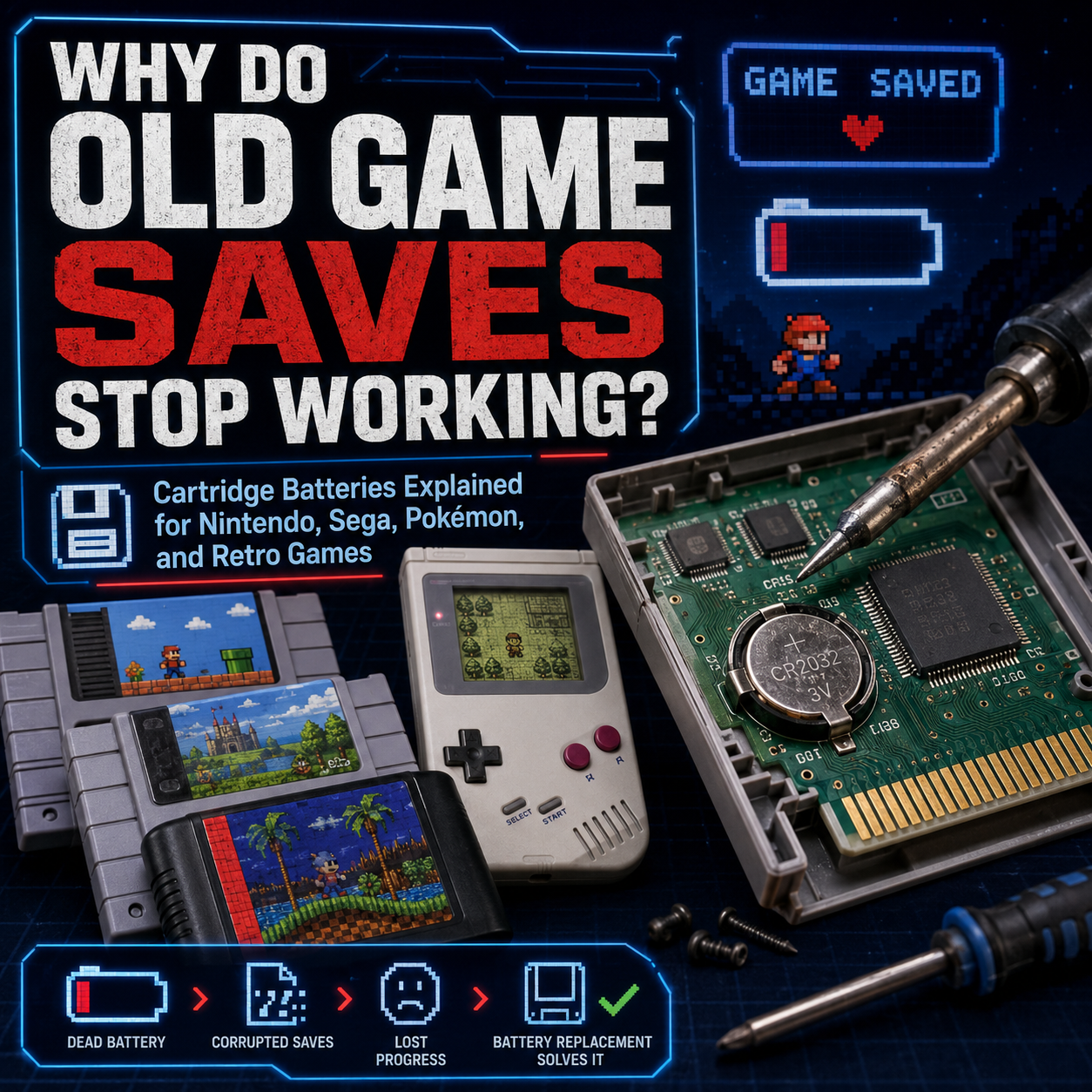
If your old retro game suddenly will not save anymore, there is a good chance the cartridge battery has finally died. Many older cartridge-based games used a small coin cell battery inside the cartridge to keep save data alive when the console was turned off. Once that battery runs out, the game may still boot and play perfectly, but your save file may disappear, refuse to load, or vanish every time you turn the system off.
This is especially common with older RPGs, adventure games, sports games with season modes, and monster-catching games like Pokémon. NES, SNES, Game Boy, Game Boy Color, some Game Boy Advance, Sega Genesis, Nintendo 64, and other cartridge systems can all have games that rely on batteries.
At Power Up Gaming, battery-backed games are not just put onto the sales floor and left to chance. If a game has an internal save battery, we replace that battery before the game goes out for sale. That way, customers are getting games with good batteries already installed, giving them years upon years of save functionality without worrying that an original decades-old battery is about to die.
Power Up Gaming also does battery replacements on Nintendo and Sega Genesis games for customer-owned cartridges. These are handled in-store and typically take a couple of days because not every employee performs battery replacements. We can also handle bulk mail-in battery replacement orders. Customer-owned games are tested for function beforehand, but existing save data cannot be guaranteed during battery replacement.
This guide explains why old games stop saving, which cartridges commonly have batteries, how Pokémon batteries work, what the difference is between save batteries and real-time clock batteries, whether Game Boy Pokémon saves can be preserved during battery replacement, and when it makes sense to replace a battery before it fails.

Why Old Game Saves Stop Working
A lot of older cartridge games did not save data the way modern games do.
Today, game saves are usually written to internal storage, flash memory, hard drives, SSDs, memory cards, cloud accounts, or console storage. Older cartridges often used a different method: battery-backed SRAM.
SRAM stands for static random-access memory. It can store save data while it has power, but once power is removed, the data disappears. To keep that save file alive after the console is turned off, the cartridge uses a small battery inside the cart.
That battery is usually a small lithium coin cell, often something like a CR2032, CR2025, or CR1616 depending on the system and cartridge design.
When the battery dies, the save memory no longer has power when the console is off.
That is when you get problems like:
The game will not save
The save file disappears after turning the console off
The clock stops working
Pokémon berries stop growing
Timed events stop happening
The game says the internal battery has run dry
The save file exists briefly, then vanishes
The cartridge boots fine, but saves are gone
The important part is this: a dead save battery does not always mean the game itself is broken.
It often means the battery has reached the end of its life.
The Cartridge Can Work Even If the Battery Is Dead
This confuses a lot of people.
A dead battery does not usually stop the game from booting. You may still be able to start a new game, play normally, enter menus, fight enemies, race tracks, or beat levels. The problem appears when the game tries to store progress.
For many battery-backed games, the cartridge is basically saying:
“I can play the game, but I cannot remember anything after you shut me off.”
That is why a copy of The Legend of Zelda, Final Fantasy, Pokémon Gold, or Shining Force may seem fine at first, then lose progress after being turned off.
The game boots.
The save does not survive.
Why Did Developers Use Batteries?
Battery-backed saves were a practical solution for the time.
Cartridges needed a way to store player progress without expensive modern-style memory. RPGs, adventure games, strategy games, simulation games, and longer games needed some kind of save system. Passwords worked for some games, but they were clunky. Battery-backed SRAM made saving easier and more user-friendly.
This was especially useful for games with:
Long campaigns
Multiple save slots
RPG progress
Character levels
Inventory
World state
Season modes
Created teams
Real-time clocks
Event tracking
In the 80s and 90s, this was a great solution.
In 2026, it means we are dealing with 25 to 40-year-old batteries.
Tiny heroes, those little batteries. But they are not immortal.
SRAM, EEPROM, Flash Memory, and Real-Time Clocks Explained
Not all cartridge saves work the same way.
To understand why some games need batteries and some do not, it helps to understand the basic memory types.
Battery-Backed SRAM
This is one of the most common older save methods.
The cartridge has SRAM memory, and the battery keeps it powered when the console is off.
When the battery dies:
Save files may disappear
New saves may not hold
The game may act like it saves, then forget later
Replacing the battery usually restores saving ability
This was common in many NES, SNES, Game Boy, Game Boy Color, Genesis, and some N64 games.
EEPROM
EEPROM stands for electrically erasable programmable read-only memory.
The key idea is that EEPROM can keep data without needing constant battery power. Some N64 and Game Boy Advance games used EEPROM-style saving.
When a game uses EEPROM, it usually does not need a save battery just to hold normal save data.
Flash Memory
Flash memory also stores data without needing a constant battery. Many later cartridge games moved toward flash-style saves.
Some Game Boy Advance games use flash or EEPROM instead of battery-backed SRAM. That is why not every GBA game with save data has a save battery.
Real-Time Clock Battery
Some games use a battery for more than just saving.
Pokémon Gold, Silver, Crystal, Ruby, Sapphire, and Emerald are famous examples because they use a real-time clock system.
In Pokémon Gold, Silver, and Crystal, the battery helps preserve both the save data and the real-time clock. In Pokémon Ruby, Sapphire, and Emerald, the save data works differently, but the battery powers time-based events.
That is why you may see a message like:
“The internal battery has run dry.”
On some Pokémon games, that does not mean the save is gone. It means clock-based events are affected.

Save Battery vs Clock Battery: Very Important Difference
This is one of the biggest misunderstandings with Pokémon games.
A battery can be used for:
Saving the game
Running the real-time clock
Both, depending on the game
Pokémon Red, Blue, and Yellow
These Game Boy games use battery-backed save memory. If the battery dies, saves will not hold properly.
If the battery is already dead, the save is usually already gone.
Pokémon Gold, Silver, and Crystal
These games use the battery for save data and the real-time clock. Because the clock is always running, these batteries often drain faster than games that only use a battery to preserve save data.
When the battery dies, you can lose save functionality and clock functionality.
This is why Pokémon Gold, Silver, and Crystal battery replacements are so common.
Pokémon Ruby, Sapphire, and Emerald
These Game Boy Advance games use a battery for time-based events, not standard save retention in the same way as older Game Boy and Game Boy Color Pokémon games.
The save can still work, but clock-based features can stop when the battery dies.
Affected features can include:
Berry growth
Daily events
Shoal Cave tides
Lottery-style timed events
Certain time-based mechanics
So if Pokémon Ruby, Sapphire, or Emerald says the internal battery has run dry, your save may still be okay, but time-based events may no longer function properly.
Pokémon FireRed and LeafGreen
These games do not use a real-time clock in the same way as Ruby, Sapphire, and Emerald. They generally do not have the same internal battery dry message issue.
Pokémon Diamond, Pearl, Platinum, HeartGold, SoulSilver, Black, White, Black 2, and White 2
Nintendo DS Pokémon games are a different situation. They do not rely on the same old coin cell save battery setup as Game Boy and Game Boy Color Pokémon games.
However, DS cartridges can still fail for other reasons, including board issues, contact problems, flash memory problems, or general cartridge damage.
So yes, Pokémon is weird.
Beautiful, collectible, expensive, emotionally loaded, and weird.

Can Game Boy Pokémon Saves Be Saved Before a Battery Replacement?
Sometimes, but it depends on the method, the game, the condition of the cartridge, and whether the battery is still alive enough to hold the save.
For older Game Boy and Game Boy Color Pokémon games, such as Pokémon Red, Blue, Yellow, Gold, Silver, and Crystal, the save data is held in battery-backed SRAM. That means the battery is what keeps the save alive when the game is not powered. If the battery is removed and nothing else is keeping the SRAM powered, the save can be lost.
There are a few ways people attempt to preserve Game Boy Pokémon saves before or during a battery replacement.
Save Backup Hardware
This is the cleanest and safest proper method when available.
A cartridge reader or save backup device can copy the save file before the battery is replaced, then restore it afterward. This depends on the hardware, the game, the cartridge condition, and whether the save is still readable.
This is the best route for collectors who absolutely care about preserving an old Pokémon save.
If the battery is already dead, though, the original save may already be gone.
Advanced Live-Power Battery Swap
There is also a more advanced method where the cartridge board is kept powered while the battery is changed. This is sometimes done by carefully keeping the board powered through a Game Boy while the cartridge is open, so the SRAM does not lose power when the old battery is removed.
This method is delicate. It is not beginner-friendly. It requires steady hands, care, the right setup, and an understanding that one wrong movement can still wipe the save or damage the board.
Power Up Gaming has done this advanced method a few times in the past, but it is hard to do and not guaranteed.
So the honest answer is:
Yes, some Game Boy Pokémon saves can sometimes be preserved before or during battery replacement, but it is never guaranteed.
If your childhood Pokémon save matters, talk to us before the battery is replaced. If the battery is still barely alive, there may be options. If the battery is already dead, the save may already be lost.

Which Retro Systems Commonly Have Cartridge Batteries?
Not every cartridge has a battery, but many systems have at least some games that do.
NES Battery Saves
Many NES games with save files used batteries.
Common examples include:
The Legend of Zelda
Zelda II: The Adventure of Link
Dragon Warrior games
Final Fantasy
Kirby’s Adventure
Startropics
Baseball Stars
Crystalis
NES save batteries are now very old. If the original battery is still alive, it has done an impressive little marathon. But it is living on borrowed time.
SNES Battery Saves
The Super Nintendo has a lot of battery-backed save games, especially RPGs and adventure games.
Common examples include:
The Legend of Zelda: A Link to the Past
Super Mario World
Super Metroid
Final Fantasy II
Final Fantasy III
Chrono Trigger
EarthBound
Secret of Mana
Super Mario RPG
Donkey Kong Country series
SimCity
Mario Paint
Breath of Fire
Harvest Moon
A dead SNES battery often means the game boots, plays, and looks normal, but your save data will not hold.
At Power Up Gaming, SNES games with batteries have those batteries replaced before they go onto the sales floor.
Nintendo 64 Battery Saves
Not all N64 games use batteries. N64 saving is a mixed world.
Some N64 games save to the cartridge. Some use EEPROM. Some use flash memory. Some require or support the Controller Pak. Some use battery-backed SRAM.
Because N64 save types vary heavily, it is best to check the specific game rather than assuming.
N64 is one of those systems where the answer is often: “It depends on the game.”
Classic Nintendo answer. Helpful as a locked door.
Game Boy Battery Saves
Many original Game Boy games use batteries for saving.
Common examples include:
Pokémon Red
Pokémon Blue
Pokémon Yellow
The Legend of Zelda: Link’s Awakening
Kirby’s Dream Land 2
Wario Land games
Metroid II
Final Fantasy Adventure
Dragon Warrior Monsters
Game Boy cartridges often use smaller batteries than NES or SNES games.
Game Boy Color Battery Saves
Many Game Boy Color games also use batteries.
Common examples include:
Pokémon Gold
Pokémon Silver
Pokémon Crystal
The Legend of Zelda: Oracle of Ages
The Legend of Zelda: Oracle of Seasons
Dragon Warrior Monsters 2
Harvest Moon GBC games
Pokémon Gold, Silver, and Crystal are especially battery-hungry because of the real-time clock.
Game Boy Advance Batteries
Game Boy Advance is where people get confused.
Some GBA games use batteries. Some do not. Some use batteries only for real-time clock features. Some save with flash memory or EEPROM.
Examples commonly associated with batteries or clock batteries include:
Pokémon Ruby
Pokémon Sapphire
Pokémon Emerald
Some early GBA games with SRAM save systems
But many GBA games save without a battery.
So if someone says “all GBA games have batteries,” that is wrong.
If someone says “no GBA games have batteries,” that is also wrong.
Retro gaming loves making everyone technically wrong.
Sega Genesis Battery Saves
Many Sega Genesis games with longer campaigns use save batteries.
Common examples include:
Phantasy Star II
Phantasy Star III
Phantasy Star IV
Shining Force
Shining Force II
Beyond Oasis
Landstalker
Sword of Vermilion
Wonder Boy in Monster World
Some sports titles with season or roster saves
Power Up Gaming does battery replacements on Sega Genesis games, which is especially useful because Genesis RPGs are exactly the kind of games where losing a save hurts.
Sega Saturn, Dreamcast, and Internal Console Batteries
Not all save batteries are inside cartridges.
Some consoles use internal batteries for system memory, clocks, or settings.
Sega Saturn
The Sega Saturn uses an internal battery for system memory and clock settings. When it dies, the console may forget date, time, and internal saves.
Dreamcast
The Dreamcast uses a rechargeable internal battery for date and time. When it fails, the console may ask for the date and time repeatedly.
Dreamcast saves usually go to the VMU memory card, not a cartridge battery.
Sega CD
Some CD-based systems use internal backup memory, capacitors, or batteries depending on the hardware design.
This blog focuses mainly on cartridge battery saves, but it is worth knowing that “dead battery” can mean different things depending on the console.
How Long Do Cartridge Batteries Last?
There is no perfect answer.
A cartridge battery’s lifespan depends on:
Battery type
Battery quality
How much power the game draws
Whether it runs a real-time clock
Storage temperature
Storage humidity
Original manufacturing quality
Whether the battery is original or replacement
Whether the game has been used heavily
Board condition
A CR2032 in an SNES RPG may last decades. A smaller battery in a Game Boy game may not last as long. A Pokémon Gold or Silver battery may drain faster because the real-time clock keeps running even when the console is off.
Many original batteries from the 80s and 90s are already dead. Some are still going, somehow, powered by pure spite and Nintendo magic.
But if your game is 25 to 35 years old, battery failure is not surprising.
It is expected.

Signs Your Cartridge Battery Is Dead
The signs can vary by game, but common symptoms include:
Save file disappears after turning the system off
Game says the internal battery has run dry
Clock-based events no longer work
Game does not remember progress
Save menu appears to work, but data is gone later
Existing save files vanish
Time-based features freeze
You must restart every session
Game holds a save for a short time, then loses it
One simple test is:
Start the game.
Create a new save.
Turn the console off.
Wait a few minutes.
Turn it back on.
Check whether the save remains.
For some games, especially clock-based games, you may need to test longer-term features.
Is the Battery Always the Problem?
No.
A dead battery is common, but it is not the only possible issue.
A game may fail to save because of:
Dead battery
Bad solder joints
Corroded battery tabs
Damaged PCB traces
Broken save chip
Counterfeit cartridge
Damaged board
Previous bad repair attempt
Leaking battery corrosion
Wrong replacement battery
Poor-quality reproduction board
This is why Power Up Gaming tests customer-owned games for function before battery work. If the game does not boot or has other issues, the battery may not be the whole story.
A battery replacement can restore saving ability when the battery is the problem. It does not magically repair every possible cartridge fault.
Do Fake Games Have Batteries?
Sometimes.
Counterfeit and reproduction cartridges can use different boards, different save methods, different batteries, or poor-quality components. Some fake games use battery-backed SRAM. Some use flash memory. Some have weird save behaviour. Some fail early.
This is one reason authenticity matters.
A real cartridge with a dead battery is one thing.
A fake cartridge with mystery parts is another thing entirely.
Power Up Gaming is very careful about authenticity and has never knowingly or willingly sold a fake game. We also keep a collection of fake games in-store as reference examples for comparison and staff education.
Can Replacing the Battery Delete the Save?
Yes.
This is one of the most important parts of the whole guide.
If a game uses battery-backed SRAM, the battery is what keeps the save alive when the console is off. Removing that battery can erase the save unless special steps are taken to preserve power to the SRAM during the replacement process.
There are methods that attempt to preserve saves during battery replacement, such as backing up the save first with specialized hardware or keeping the board powered during the swap.
Power Up Gaming does not guarantee existing saves will survive battery replacement on customer-owned games.
That is not us being dramatic. That is us being honest.
If the save is important, talk to us before battery replacement. For Game Boy Pokémon games specifically, preservation may sometimes be possible, but it is advanced, difficult, and not guaranteed.
Can Save Data Be Backed Up First?
Sometimes, yes.
There are cartridge readers and save backup devices that can dump save files from certain games. These are more common among collectors, modders, and preservation hobbyists.
Save backup may be possible for:
NES
SNES
Game Boy
Game Boy Color
Game Boy Advance
Nintendo 64
Genesis
Other cartridge systems depending on hardware
But it depends on:
The game
The system
The cartridge reader
Whether the save is still readable
Whether the board is authentic
Whether the battery is still alive enough to access the save
Power Up Gaming’s battery replacement service is focused on replacing the battery and restoring save functionality where appropriate. If preserving an existing save is critical, that should be discussed before any work is done, and even then, it may not be something we can guarantee.

Why Soldering Matters
Most cartridge batteries are not just loose coin cells you pop out like a TV remote.
Many are tabbed batteries soldered directly to the board.
A proper replacement usually involves:
Opening the cartridge
Removing the old battery carefully
Cleaning the area if needed
Installing the correct tabbed battery
Soldering it cleanly
Checking polarity
Testing the game afterward
Bad soldering can cause:
No save function
Intermittent saving
Lifted pads
Damaged traces
Heat damage
Loose battery tabs
Corrosion problems
Future failure
This is why battery replacements should be done carefully. A cartridge PCB is not the place to learn soldering while caffeinated and overconfident.
Why Tape Fixes Are a Bad Idea
You may see people online suggest taping a regular coin cell battery into place.
Please do not do that.
Tape fixes can cause:
Poor contact
Intermittent saving
Battery movement
Corrosion
Shorts
Loose parts inside the cartridge
Save loss
Future repair headaches
A tabbed battery soldered properly is the correct repair method for most cartridge battery replacements.
If the game matters, do it properly.
Should You Replace the Battery Before It Dies?
This depends on the game and your goals.
At Power Up Gaming, if a game has a save battery, we replace that battery before it goes onto the sales floor. That way, the customer is not relying on an original decades-old battery.
For customer-owned games, the decision depends on whether the customer cares more about preserving the existing save or ensuring future save reliability.
Replace proactively if:
The game is valuable
You plan to play through a long RPG
You do not care about existing saves
The battery is original and very old
The game has already shown weak save behaviour
You want reliability before selling or gifting the game
Wait or discuss options first if:
You want to preserve the original save
You do not have a backup method
The game still saves perfectly
The cartridge is very collectible and you want to minimize handling
You are not planning to play it soon
If the existing save matters, talk to us first.

Power Up Gaming Replaces Save Batteries Before Games Hit the Floor
At Power Up Gaming, we do not just put battery-save games out for sale and hope for the best.
If a game has an internal save battery, we replace that battery before the game goes onto the sales floor. That means customers are not buying a 25 or 30-year-old cartridge with an original battery hanging on by sheer luck.
We make sure battery-backed games go out with a good battery installed, giving players years upon years of save functionality without the same worry of losing progress right after purchase.
This is especially important for games like:
Pokémon
The Legend of Zelda
Final Fantasy
Chrono Trigger
EarthBound
Super Mario World
Super Metroid
Shining Force
Phantasy Star
Harvest Moon
Many other retro RPGs, adventure games, and save-heavy titles
When you buy a battery-backed game from Power Up Gaming, you can feel much better knowing the save battery has already been handled before it goes onto the floor.

What Happens During a Power Up Gaming Battery Replacement?
Power Up Gaming handles battery replacements on Nintendo and Sega Genesis games.
For games we sell in-store, battery-backed games have their batteries replaced before they go onto the sales floor. This helps ensure that customers are buying games with good batteries already installed, giving them years of save functionality without worrying that an original decades-old battery is about to die.
For customer-owned games, the general process is:
The game is tested for basic function before work begins.
The cartridge is opened carefully.
The old battery is removed.
A correct replacement battery is installed.
The battery is soldered properly.
The game is tested again afterward where appropriate.
Battery replacements are handled in-store and typically take a couple of days because not every employee performs them.
For customers with larger collections, Power Up Gaming can also handle bulk mail-in battery replacement orders.
Important note: we do not guarantee that existing saves will not be lost on customer-owned games.
We test games for function beforehand to make sure there are not obvious issues with the game itself, but save preservation cannot be guaranteed during battery replacement. Game Boy Pokémon saves can sometimes be backed up or preserved through advanced methods, but that is not guaranteed and should be discussed before the work is done.
Nintendo Games Power Up Gaming Can Replace Batteries In
Power Up Gaming can handle battery replacements for many Nintendo cartridge games, including:
NES
SNES
Game Boy
Game Boy Color
Game Boy Advance
Nintendo 64, depending on board and battery type
Examples include:
The Legend of Zelda
Zelda II
Final Fantasy
Dragon Warrior
Chrono Trigger
EarthBound
Super Mario World
Super Metroid
Pokémon Red
Pokémon Blue
Pokémon Yellow
Pokémon Gold
Pokémon Silver
Pokémon Crystal
Pokémon Ruby
Pokémon Sapphire
Pokémon Emerald
Zelda Oracle games
Many other battery-backed titles
Exact battery type and service suitability depend on the cartridge.
Sega Genesis Games Power Up Gaming Can Replace Batteries In
Power Up Gaming also performs battery replacements on Sega Genesis games.
Common Sega Genesis battery-save examples include:
Phantasy Star II
Phantasy Star III
Phantasy Star IV
Shining Force
Shining Force II
Beyond Oasis
Landstalker
Sword of Vermilion
Wonder Boy in Monster World
Select sports and strategy games
Genesis RPGs are exactly the kind of games where losing a save hurts, so having a good battery matters.
Do All NES Games Have Batteries?
No.
Most NES games do not have save batteries.
Many action games, arcade-style games, platformers, shooters, puzzle games, and sports games used passwords, high scores, or no saving at all.
NES battery games were typically longer games that needed real save files.
Do All SNES Games Have Batteries?
No.
A lot of SNES games have batteries, but not all of them.
Many SNES platformers, fighting games, shooters, and arcade-style games do not need battery-backed saving. RPGs, adventure games, simulation games, and longer games are more likely to have batteries.
Do All Game Boy Games Have Batteries?
No.
Many Game Boy games have batteries, especially games with save files, but not every Game Boy cartridge uses one.
Do All Game Boy Advance Games Have Batteries?
Definitely not.
This is one of the biggest myths.
Many GBA games save without batteries. Some use batteries for saving. Some use batteries for real-time clock functions only.
Always check the specific game.
Do All Nintendo 64 Games Have Batteries?
No.
N64 games used several different save methods. Some used Controller Paks. Some used EEPROM. Some used flash memory. Some used battery-backed SRAM.
Do not assume based only on the console.
Do All Sega Genesis Games Have Batteries?
No.
Most Genesis games do not have batteries. Battery saves are more common in RPGs, strategy games, adventure games, and certain sports games with season or roster saves.
What Battery Types Do Retro Games Use?
Common cartridge battery types include:
CR2032
CR2025
CR1616
Common patterns include:
NES, SNES, and many Genesis games often use CR2032-style tabbed batteries.
Game Boy and Game Boy Color games often use smaller tabbed batteries such as CR1616 or CR2025, depending on the board.
Some GBA games use CR1616 or CR2025-style batteries depending on the game and design.
Exact battery type can vary, so the safest answer is to open and inspect the cartridge or check a known reliable battery reference for that exact game.
Do not just jam in whatever coin cell is sitting in a drawer.
What About Memory Cards?
Some systems do not save to cartridge batteries because they use memory cards.
Examples include:
PlayStation 1
PlayStation 2
Dreamcast VMU
GameCube memory card
Xbox internal hard drive
Xbox 360 storage
PS3 internal storage
If a PS1 or PS2 game is not saving, the issue is usually the memory card, not a battery inside the disc.
If a Dreamcast game is not saving, check the VMU.
If a GameCube game is not saving, check the memory card.
Different era, different problem.
What About Disc-Based Games?
Most disc-based games do not save to the disc. They save to memory cards, internal storage, VMUs, hard drives, or system memory.
So if your PS2 disc does not save, replacing something inside the disc is not the answer. The disc has no save battery. You are looking at a memory card issue, console issue, or game-specific save problem.
This matters because people sometimes say “my game battery died” when they really mean “my memory card failed.”
Close, but different beast.
Why Pokémon Saves Are Such a Big Deal
Pokémon games are one of the biggest reasons people care about cartridge batteries.
A Pokémon save can represent:
Hundreds of hours
Childhood memories
Rare Pokémon
Event Pokémon
Completed Pokédex progress
Personal teams
Old trainer names
Sentimental value
That is why we take the save warning seriously.
If your Pokémon battery is failing, you may be able to replace the battery and use the game again, but the old save may already be gone or may be lost during replacement.
If the save matters, back it up first if possible.
If the ability to save matters more than the old file, battery replacement is usually the practical path.
Why Some Old Saves Still Work After 30 Years
Some original batteries are still alive.
That does not mean they are healthy forever.
Battery life can vary wildly. Some cartridges were stored well. Some games draw very little power. Some batteries were simply excellent. Some are hanging on by a thread.
A game that saves today may fail tomorrow.
This is especially true if the battery is original from the 80s or 90s.
Old working batteries are cool.
They are also little ticking nostalgia eggs.
Should You Test Your Save Batteries?
Yes, especially if you are planning to play a long game.
Before starting a 40-hour RPG, test the save.
For a simple test:
Start the game.
Save as soon as possible.
Turn the console off.
Wait a few minutes.
Turn it back on.
Confirm the save is still there.
If possible, test again the next day.
For Pokémon clock batteries, test time-based features, not just save data.
A game may save fine but still have a dead clock battery.
Should You Replace Batteries Before Selling Games?
If you are selling casually online, this depends on how you want to represent the game.
If a game does not save, that should be disclosed or repaired. If a game does save but has an original battery from 1992, it is reasonable to say it currently saves, but the original battery is old and future life is not guaranteed.
At Power Up Gaming, we take the extra step: battery-backed games have their batteries replaced before they go onto the sales floor.
That way, customers are not stuck buying an old RPG, getting emotionally invested, and then losing their save because of an ancient battery.
Because that is not a fun retro experience.
That is pain with a cartridge slot.
Battery Replacement for Bulk Collections
If you have a stack of old cartridge games that need batteries, Power Up Gaming can handle bulk mail-in battery replacement orders.
This is useful for:
Collectors
Resellers
Pokémon players
Retro RPG fans
Estate collections
Stores needing service support
People restoring childhood collections
Games are tested for function beforehand, which helps identify whether the cartridge itself works before the battery is replaced.
Again, saves cannot be guaranteed on customer-owned games.
That part stays important.
When Battery Replacement Is Worth It
Battery replacement is usually worth it when:
The game is valuable
The game is sentimental
The game is long or save-heavy
You want to play it seriously
The current battery is dead
The game is known for battery issues
You are preparing a collection for use
You are replacing batteries in bulk
It may not be worth it when:
The cartridge is fake or unreliable
The board is corroded
The game has other major faults
The game is low-value and easy to replace
You only want to display it
You care more about preserving an original save and have no backup
When Battery Replacement Will Not Fix the Problem
Battery replacement will not fix:
Dirty cartridge contacts
Broken cartridge pins
Bad ROM chips
Bad save chips
Corroded traces
Damaged PCBs
Counterfeit board problems
Memory card problems
Console slot issues
Controller Pak failure
VMU failure
It fixes battery-related save or clock problems.
It does not resurrect every cursed cartridge from the swamp.
How to Store Battery-Backed Games
Good storage helps extend cartridge life.
Store games:
In a dry place
Away from extreme heat
Away from extreme cold
Away from humidity
Away from direct sunlight
Away from leaking batteries or corroded electronics
In clean cases or protective storage
Upright or safely stacked
Away from dust and debris
Avoid:
Basements with moisture
Garages
Attics
Damp storage bins
Leaving games in hot cars
Loose carts in dirty boxes
A battery will eventually die anyway, but bad storage can make everything worse.
Quick Checklist: Is My Save Battery Dead?
Your battery may be dead if:
The game boots but will not save
Saves vanish after power-off
The game gives a battery warning
Clock events do not work
Pokémon time events are frozen
The cartridge is from the 80s, 90s, or early 2000s
The battery has never been replaced
A multimeter shows low battery voltage
Save data randomly disappears
The game only saves while powered on
Bring it in if you are not sure.
Guessing is how people lose saves and lift solder pads.
Power Up Gaming’s Advice
If your old cartridge game no longer saves, do not panic.
The game may not be dead. It may just need a new battery.
Power Up Gaming replaces batteries in all battery-backed games before they go onto the sales floor, so customers can buy those games with much more confidence. We also replace batteries in customer-owned Nintendo and Sega Genesis games.
These battery replacements are handled in-store and typically take a couple days because the work needs to be done by someone comfortable with cartridge battery replacement. We can also handle bulk mail-in battery replacement orders for customers.
We test customer-owned games for function before battery work begins, but we do not guarantee existing saves will survive. If your save file matters, talk to us before the work is done and consider whether you need a save backup first.
A dead battery is normal.
Losing a childhood Pokémon save still hurts.
Both things can be true.
Final Thoughts
Old cartridge batteries are one of the most common maintenance issues in retro gaming.
They were never meant to last forever. They were a practical solution from an era when saving your game inside a cartridge was still kind of magical. Decades later, those same batteries are finally giving up.
If your NES, SNES, Game Boy, Game Boy Color, Game Boy Advance, Nintendo 64, or Sega Genesis game stops saving, there is a good chance the battery is the culprit. Sometimes the fix is straightforward. Sometimes the cartridge has deeper issues. Sometimes the save is already gone. Sometimes the clock is dead but the save still works.
The trick is knowing which problem you actually have.
Power Up Gaming replaces save batteries in battery-backed games before they go onto the sales floor. We also help with Nintendo and Sega Genesis cartridge battery replacements for customer-owned games, including in-store service and bulk mail-in orders.
Because starting an RPG over every time you turn off the console is not retro charm.
That is just suffering with better music.

FAQ
Why did my old game stop saving?
Many old cartridge games use a small internal battery to keep save data alive. When that battery dies, the game may still play but no longer hold saves.
Does a dead battery mean my game is broken?
Not always. If the game boots and plays but will not save, the battery may be dead while the rest of the cartridge still works.
Which retro games use save batteries?
Many NES, SNES, Game Boy, Game Boy Color, Game Boy Advance, Nintendo 64, and Sega Genesis games use batteries, especially RPGs, adventure games, simulation games, and longer games.
Do all cartridge games have batteries?
No. Many cartridge games do not have batteries. Some use passwords, some do not save, and some use non-battery memory like EEPROM or flash.
Do all NES games have batteries?
No. Only some NES games use batteries, usually longer games with save files like The Legend of Zelda, Final Fantasy, Dragon Warrior, and similar titles.
Do all SNES games have batteries?
No. Many SNES games have batteries, especially RPGs and adventure games, but plenty of SNES games do not.
Do all Game Boy games have batteries?
No. Many Game Boy games with saves have batteries, but not every Game Boy cartridge does.
Do all Game Boy Advance games have batteries?
No. Some GBA games have batteries, some use flash memory or EEPROM, and some use batteries only for clock-based features.
Do Pokémon games have batteries?
Many older Pokémon games do. Pokémon Red, Blue, Yellow, Gold, Silver, and Crystal rely heavily on batteries for save or clock functions. Ruby, Sapphire, and Emerald use batteries for real-time clock events, while their save data works differently.
What does “the internal battery has run dry” mean in Pokémon?
It usually means the real-time clock battery is dead. In Pokémon Ruby, Sapphire, and Emerald, the game may still save, but time-based events may stop working.
Can my old Game Boy Pokémon save be saved during battery replacement?
Sometimes, but it is not guaranteed. Game Boy and Game Boy Color Pokémon games use battery-backed SRAM, so removing the battery without keeping the save memory powered can erase the save. A save may be backed up with cartridge reader hardware, or in some cases preserved through an advanced live-power battery swap, but both depend on the game, equipment, battery condition, and repair risk. Power Up Gaming has done advanced preservation attempts before, but save preservation is never guaranteed.
Will replacing the battery erase my save?
It can. If the game uses battery-backed SRAM, removing the battery can erase the save unless the save is backed up or special preservation steps are taken. Power Up Gaming does not guarantee saves will survive battery replacement on customer-owned games.
Can my save be backed up before battery replacement?
Sometimes, yes, with the right cartridge reader or save backup hardware. This depends on the game, system, and condition of the save.
What batteries do SNES games use?
Many SNES games commonly use CR2032 tabbed batteries, but exact requirements can vary by cartridge.
What batteries do Game Boy games use?
Many Game Boy and Game Boy Color games use smaller tabbed batteries such as CR1616 or CR2025, depending on the game and board.
What batteries do Sega Genesis games use?
Many Genesis battery-save games commonly use CR2032 tabbed batteries, but exact boards can vary.
Can I tape a battery into a cartridge?
You should not. Tape fixes can be unreliable and can cause save problems, loose connections, or future damage. A properly soldered tabbed battery is the better repair.
Can I replace a cartridge battery myself?
You can if you have the right tools, soldering skill, correct battery, and understand the risk of losing saves. If not, it is safer to have someone experienced do it.
Does Power Up Gaming replace save batteries before selling games?
Yes. If a game has an internal save battery, Power Up Gaming replaces that battery before the game goes onto the sales floor. This helps ensure that customers are buying games with good batteries already installed, giving them years of save functionality without worrying about an original decades-old battery failing.
Does Power Up Gaming replace customer-owned cartridge batteries?
Yes. Power Up Gaming replaces batteries on customer-owned Nintendo and Sega Genesis games.
How long does battery replacement take at Power Up Gaming?
Battery replacements are handled in-store and typically take a couple of days because not every employee performs them.
Can Power Up Gaming handle bulk mail-in battery replacements?
Yes. Power Up Gaming can handle bulk mail-in battery replacement orders from customers.
Does Power Up Gaming test games before replacing the battery?
Yes. Customer-owned games are tested for function beforehand so we can confirm the game itself is working before battery replacement.
Does Power Up Gaming guarantee my old save will survive?
No. Existing saves cannot be guaranteed during battery replacement on customer-owned games.
Can battery replacement fix a fake game?
Not necessarily. Fake games can have different boards, poor components, and unreliable save systems. Battery replacement may not solve deeper counterfeit cartridge issues.
Why does my PS1 or PS2 game not save?
Disc-based PlayStation games save to memory cards, not batteries inside the discs. If a PS1 or PS2 game is not saving, check the memory card.
Why does my Dreamcast game not save?
Dreamcast games usually save to the VMU. If saves are failing, check the VMU battery, VMU contacts, or memory condition.
Should I replace my battery before starting a long RPG?
Yes, it is smart to test or replace the battery before starting a long RPG if the battery is old or untested. Just remember that replacement may erase existing saves on customer-owned games unless preservation steps are possible.