Summary
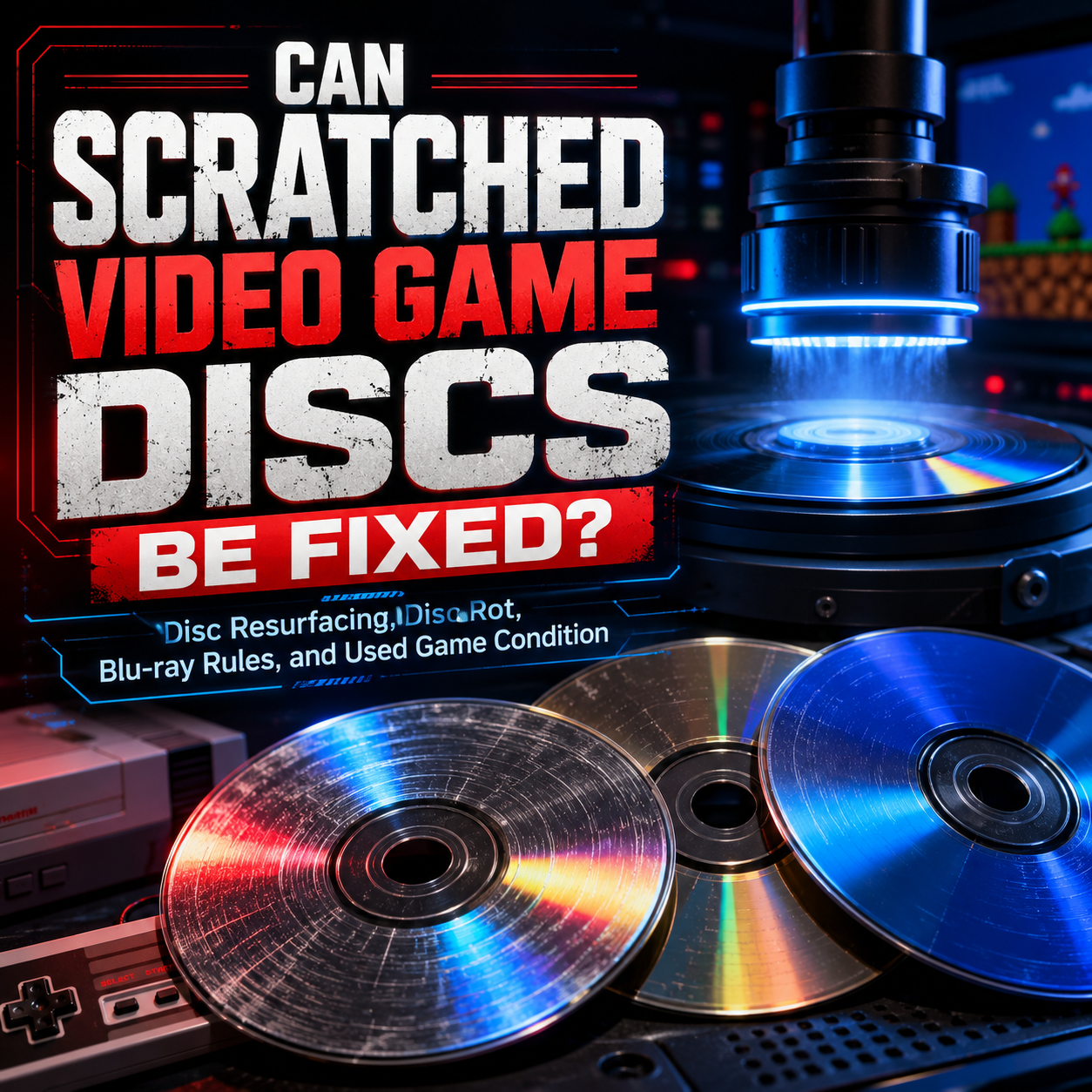
Scratched video game discs can sometimes be fixed, but it depends on the type of disc, the depth of the damage, and where the damage is located. Light to moderate scratches on many CD and DVD-based games can often be improved through professional disc refinishing, while cracked discs, warped discs, disc rot, missing data layers, and many deep scratches cannot be repaired. Power Up Gaming’s professional disc refinishing service uses a professional robotic ELM ECO Master machine and is available for many CD and DVD-style discs, but not Blu-ray format discs such as PlayStation 3, PlayStation 4, PlayStation 5, Xbox One, Xbox Series X, or Wii U games.
Blu-ray discs are different from older CD and DVD-style games. They are built differently, the data layers sit closer to the read side, and Power Up Gaming does not refinish Blu-ray format discs. That is also why our quality standards are so strict when we buy, trade, and sell used games, especially modern disc-based games. Scratches always affect value, and Blu-ray format games need to be in extremely clean condition to meet our standards.

Why Scratched Game Discs Are Such a Big Deal
Used video games live hard lives.
They get tossed into cases without being clipped into the middle hub. They get stacked on desks. They get left beside consoles. They get slid across carpet. They get handled by kids, collectors, parents, roommates, and that one friend who somehow treats every disc like a coaster.
Then years later, someone finds a copy of Mario Kart Double Dash, Silent Hill 2, Def Jam Fight for NY, Pokémon Colosseum, or Simpsons Hit & Run and asks the big question:
Can this scratched game be fixed?
The honest answer is: sometimes.
That “sometimes” matters. A scratched disc is not automatically garbage, but it is also not magically repairable just because someone has a buffer, a cloth, or a suspicious toothpaste hack they found online at 2AM. Disc damage exists on a spectrum. Some discs only need a careful cleaning. Some need professional resurfacing. Some are physically damaged beyond saving.
At Power Up Gaming, we deal with used games every day. We buy them, sell them, test them, clean them, refinish them, reject them, and obsess over condition because disc quality directly affects the customer experience. A used game should not feel like a gamble.
If you have scratched discs you want professionally refinished, you can also check out our professional disc refinishing service, available through Power Up Gaming in Barrie, Ontario.

The Quick Answer: Can Scratched Video Game Discs Be Fixed?
Yes, many scratched game discs can be improved, but not all of them.
Professional disc refinishing can help with many surface-level scratches, scuffs, cloudiness, and marks on eligible CD and DVD-style discs. This includes many classic disc-based systems such as PlayStation 1, PlayStation 2, Original Xbox, Xbox 360, Nintendo GameCube, and Nintendo Wii. Those same formats are listed as eligible on our disc refinishing service page.
However, refinishing cannot fix every problem.
Disc refinishing cannot repair:
-
Cracked discs
-
Warped discs
-
Disc rot
-
Severe gouges
-
Missing reflective or data layers
-
Heat damage
-
Chemical damage
-
Manufacturing defects
-
Deep data-layer damage
-
Label-side damage on many CD-style discs
-
Blu-ray format discs
That last one is important. Power Up Gaming does not refinish Blu-ray format discs, including many newer formats such as PlayStation 3, PlayStation 4, PlayStation 5, Xbox One, Xbox Series X, and Wii U.
So the real answer is not just “Can scratches be fixed?”
The better question is:
What kind of disc is it, and what kind of damage does it have?

How Disc Scratches Actually Cause Problems
A video game disc is not being “touched” by the laser like a record needle touching vinyl. The laser reads through the clear plastic surface and focuses on the data layer inside the disc. Anything that interferes with that laser can cause read issues.
That includes:
-
Scratches
-
Smudges
-
Fingerprints
-
Dirt
-
Dust
-
Cloudiness
-
Residue
-
Cracks
-
Layer separation
-
Disc rot
The Council on Library and Information Resources explains that anything on the optical disc surface that interferes with the laser’s ability to focus can cause missing data or read problems. It also notes that fingerprints, smudges, scratches, dirt, dust, solvents, and moisture can all interfere with the laser reading the disc. (CLIR)
This is why a game can look “not that bad” and still fail, while another disc covered in light scratches might play fine.
It is not just about how many scratches there are. It is about depth, direction, location, format, and whether the console’s error correction can work around the damage.
Not All Scratches Are Equal
Some scratches are mostly cosmetic. Some are annoying but repairable. Some are death sentences.
A light surface scratch is usually the least serious. If the damage is only in the clear plastic surface and has not reached the data layer, professional refinishing may reduce or remove the scratch enough to improve readability.
A deep scratch is more serious. If it scatters the laser too much, the console may struggle to read the disc. If it reaches the data or reflective layer, it may not be repairable.
A circular scratch is often worse than a straight scratch. Scratches that follow the direction of the disc’s data track are more likely to cause uncorrectable read errors than scratches that run from the center of the disc outward. CLIR specifically notes that scratches running in the direction of the track are more likely to cause uncorrectable errors than scratches running outward from the center. (CLIR)
That is why the dreaded “perfect circle” scratch on an Xbox 360 game can be such a problem. When a console is moved while running, the disc can contact internal parts of the drive and create a circular scratch. Those scratches are often nasty because they follow the path the laser is trying to read.
Fingerprints Can Be Worse Than Light Scratches
Here is something a lot of people do not realize: fingerprints and smudges can sometimes cause more immediate read problems than light scratches.
CLIR notes that fingerprints, smudges, dirt, and dust can disrupt laser focus and may overwhelm the error correction system because they cover wider areas of data. Light scratches, by comparison, may have little effect if they are occasional and fine. (CLIR)
That is why the first step should not always be resurfacing.
Sometimes the disc is not scratched enough to need refinishing. Sometimes it is just filthy.
Before assuming a disc is ruined, carefully inspect it under good light. If you see fingerprints, grease, dust, or residue, cleaning may help. Use a soft cloth and wipe from the center of the disc straight out toward the edge. Do not wipe in circles. CLIR recommends avoiding circular wiping and wiping from the center toward the outer edge instead. (CLIR)
Do not use paper towel. Do not use anything abrasive. Do not use harsh solvents. Do not use random household cleaners. Please, for the love of your game collection, do not attack your copy of Paper Mario: The Thousand-Year Door with toothpaste.

What Professional Disc Refinishing Actually Does
Professional disc refinishing removes a very thin layer from the readable surface of an eligible disc and polishes it back to a smooth finish. The goal is to reduce the physical distortion that prevents the laser from reading through the disc properly.
Think of it like smoothing out the surface of scratched plastic.
A good refinishing machine does not “restore the data.” It does not rewrite the disc. It does not repair missing information. It improves the surface the laser reads through.
Power Up Gaming uses a fully robotic ELM ECO Master disc refinisher. Our machine can automatically process up to 50 discs at a time, and we use the same process for our own store inventory. According to our service page, we have trusted this process for over 8 years as part of our quality-control process.
That matters because consistency is everything. Cheap home resurfacing kits, hand-crank polishers, and mystery online “fixes” can make a disc worse if they remove material unevenly, leave swirl marks, introduce haze, or fail to polish the surface properly.
Professional resurfacing is not magic, but when the disc is eligible and the damage is surface-level, it can make a dramatic difference.
Disc Formats Power Up Gaming Can Refinish
Power Up Gaming can refinish many standard CD and DVD-style discs, including many classic and retro disc-based games.
Eligible formats include:
-
Music CDs
-
DVD movies
-
CD-based games
-
DVD-based games
-
PlayStation 1 games
-
PlayStation 2 games
-
Original Xbox games
-
Xbox 360 games
-
Nintendo GameCube games
-
Nintendo Wii games
These formats are listed on Power Up Gaming’s disc refinishing service page.
This is especially useful for retro game collectors because many of the most collectible disc-based games are from the CD and DVD era. PlayStation 1, PlayStation 2, GameCube, Wii, Original Xbox, and Xbox 360 games can often be found with years of handling wear.
Some can be brought back beautifully.
Some cannot.
The trick is knowing the difference.
Disc Formats Power Up Gaming Does Not Refinish
Power Up Gaming does not refinish Blu-ray format discs.
This includes many newer disc-based game formats such as:
-
PlayStation 3
-
PlayStation 4
-
PlayStation 5
-
Xbox One
-
Xbox Series X
-
Wii U
This is not because we are being dramatic. Blu-ray discs are constructed differently than older CD and DVD-style discs. The Canadian Conservation Institute explains that Blu-ray discs are essentially the opposite of audio CDs in one major way: their thin layers are near the read side of the disc. For DVDs and Blu-ray discs, read-side scratches are the critical concern. (Publications)
Because Blu-ray format discs are different, Power Up Gaming does not refinish them. For modern disc-based games, prevention and careful handling matter much more.

Why Blu-ray Games Need Stricter Condition Standards
This is where used game condition gets serious.
A PlayStation 2 game with some surface scratches might be professionally refinished and brought back to a clean, collector-friendly condition. A Wii game with moderate scuffing might still have a path forward. A GameCube disc that looks rough might be worth attempting if the damage is not too deep.
But Blu-ray format games are different.
For Power Up Gaming, Blu-ray format discs need to be extremely clean. If a Blu-ray game comes in with marks, scratches, or questionable wear, it affects what we can offer for it. That includes PlayStation 3, PlayStation 4, PlayStation 5, Xbox One, Xbox Series X, and Wii U discs.
This is one of the reasons our used game quality standards are higher than what you might see from a random marketplace seller. We are not just asking, “Can this technically load once?”
We are asking:
-
Would we be comfortable selling this?
-
Would we be proud to put this in a customer’s order?
-
Would this meet the standard we want associated with Power Up Gaming?
-
Is this disc clean enough to avoid avoidable customer disappointment?
For CD and DVD-style discs, professional refinishing gives us more ability to improve condition. For Blu-ray format discs, there is no safety net from our refinishing machine.
That is why condition matters so much.

What Is Disc Rot?
Disc rot is one of those terms that gets thrown around constantly, sometimes accurately and sometimes as a catch-all for “my disc does not work.”
Real disc rot is not the same thing as a scratch.
Disc rot usually refers to chemical or physical breakdown inside the disc itself. The reflective layer may corrode. Layers may separate. The disc may develop tiny pinholes, bronzing, clouding, discoloration, or areas where the data can no longer be read properly.
The Library of Congress explains that aging, storage conditions, and handling can cause material changes in CDs that lead to deterioration and data loss, sometimes called “CD-Rot” or “Laser-Rot.” Their research also found that storage environment and handling can affect error rates over time. (loc.gov)
Disc rot cannot be polished away because it is not just surface damage. If the internal reflective or data layers are failing, refinishing the outside surface will not restore the missing or damaged internal layer.
Power Up Gaming’s repair page also clearly lists disc rot as something disc refinishing cannot fix.
How to Tell Scratches From Disc Rot
Scratches are physical marks on the surface. You can usually see them when light reflects across the disc.
Disc rot may look different. Possible warning signs include:
-
Tiny pinholes when held up to light
-
Bronzing or discoloration
-
Cloudy patches inside the disc
-
Flaking or missing reflective material
-
Strange spots that do not clean off
-
Layer separation near the edge
-
A disc that looks clean but repeatedly fails in the same place
Not every visual flaw is disc rot, and not every failing disc has visible rot. That is part of what makes it so frustrating.
A scratched disc may be a good candidate for refinishing if the scratch is on the readable surface and the format is eligible.
A rotting disc is not.
Label-Side Damage Can Be Worse Than Bottom-Side Scratches
Most people obsess over the shiny bottom side of the disc, and for good reason. That is the side the laser reads through.
But with CD-style discs, the label side can be even more dangerous.
CLIR explains that on CDs, the reflective metal layer and data layer are very close to the label side, so scratches, pinholes, pen pressure, or sharp marks on the label side can permanently damage readability. That kind of damage cannot be repaired. (CLIR)
This is especially important for PlayStation 1 games and other CD-based games.
If you hold a CD-based game up to a bright light and see little holes shining through from the label side, that is bad news. Refinishing the bottom surface will not replace missing reflective material.
DVDs are built differently, with the metal layer sandwiched more toward the middle. That generally makes label-side scratches less catastrophic on DVD-style discs than on CDs. Still, any serious damage should be treated carefully.
The quick rule:
For CD-based games, label-side damage can be deadly.
For DVD-based games, read-side scratches are usually the bigger concern.
For Blu-ray format games, read-side condition is extremely important, and Power Up Gaming does not refinish them.
Why Some Scratched Games Still Work
This is where old games feel like witchcraft.
A disc can look rough and still play because optical disc systems include error correction. The console or player may be able to compensate for some missing or misread data. CLIR notes that error detection and correction coding can recover misread data in many cases, but deep, wide, or clustered scratches can overwhelm that correction. (CLIR)
That is why testing matters, but testing is not perfect.
A game might boot to the title screen but fail during a later cutscene. It might play level one but freeze when loading level six. A sports game might load exhibition mode but crash during franchise mode. An RPG might play for three hours and then lock up when it tries to load a specific area.
This is one of the reasons Power Up Gaming takes condition so seriously. A disc that “boots” is not automatically a good disc.
Why Some Clean-Looking Games Do Not Work
The opposite can also happen.
A disc can look nearly perfect and still fail.
Possible reasons include:
-
Disc rot
-
Manufacturing defects
-
Data-layer damage
-
Microscopic cracks
-
Heat damage
-
Chemical exposure
-
Warping
-
Console laser issues
-
Damage that is not obvious under normal light
This is why refinishing cannot be guaranteed to make a disc work. Power Up Gaming’s service page explains that refinishing is a cosmetic and surface restoration service, not a guaranteed repair service, and that some discs may have damage or media failure that cannot be fixed through refinishing.
That sounds cautious because it needs to be.
A refinisher can improve the playable surface. It cannot resurrect damaged data.

How Scratches Affect Trade-In Value
Scratches always affect cost.
At Power Up Gaming, disc condition is part of how we evaluate video game trade-ins. If a disc comes in scratched, that affects the amount we can offer. Even if the disc is an eligible CD or DVD-style game that can be refinished, refinishing still takes time, labour, materials, equipment, and quality-control attention.
If a disc needs work before we can sell it, that has to be reflected in the trade value.
For Blu-ray format games, the standard is even stricter. Since we do not refinish Blu-ray format discs, marks and scratches are a much bigger issue. Blu-ray discs need to come in extremely clean for us to confidently resell them under our quality standards.
This is not us being fussy for sport. This is how we protect the next customer.
A customer buying a used game from Power Up Gaming should not be receiving someone else’s problem.
Why Power Up Gaming’s Disc Standards Are Higher Than Marketplace Buying
Buying used games online or through local marketplaces can be a gamble.
The seller might say:
“Works fine.”
But what does that mean?
Did they test the full game? Did they test it recently? Did they test it on a console with a strong laser? Did they check every disc in a multi-disc set? Did they inspect for resurfacing haze, cracks, label damage, or rot? Did they even look under good lighting?
At Power Up Gaming, disc condition is part of the entire buying and selling process. We handle used games professionally because we sell them professionally.
Our goal is not “good enough for a garage sale.”
Our goal is clean, tested, warranty-backed used games that people can feel good about buying.
That is also why our disc refinishing equipment matters. We invested in proper machinery because disc condition is a core part of our business, not an afterthought.

Should You Try to Fix Scratched Games at Home?
You can clean a disc at home carefully.
You should be very cautious about trying to resurface one.
Good home care:
-
Hold discs by the edges or center hole
-
Blow off loose dust first
-
Use a soft, clean cloth
-
Wipe from the center outward
-
Use mild disc-safe cleaning methods only when needed
-
Store discs in proper cases
-
Keep them away from heat, sunlight, moisture, and rough sleeves
Bad home care:
-
Toothpaste
-
Baking soda
-
Magic erasers
-
Sandpaper
-
Harsh cleaners
-
Paper towel
-
Circular rubbing
-
Random polishing compounds
-
Cheap resurfacing gadgets that leave swirl marks
-
Cleaning with your shirt like a goblin
CLIR recommends avoiding abrasives, avoiding paper products, and cleaning from the center outward rather than around the disc. (CLIR)
If the game is valuable, rare, or important to you, do not experiment on it. Bring it to someone with proper equipment.
When Disc Refinishing Is Worth It
Disc refinishing is usually worth considering when:
-
The game is CD or DVD-based
-
The damage is on the readable side
-
The disc has light to moderate scratches
-
The disc is cloudy or scuffed
-
The disc is valuable enough to justify the cost
-
The disc is hard to replace
-
The disc is part of your personal collection
-
The disc is skipping, freezing, or failing to load
-
The disc looks rough but does not show cracks, rot, or missing layers
It is especially worth considering for collectible retro games where replacement costs have climbed. A scratched $5 sports game might not be worth refinishing unless you care about it personally. A scratched GameCube, PlayStation 1, PlayStation 2, Wii, or Xbox 360 game with real value may absolutely be worth attempting.
When Disc Refinishing Is Not Worth It
Disc refinishing may not be worth it when:
-
The disc is cracked
-
The disc is warped
-
The disc has disc rot
-
The disc has label-side data damage
-
The disc has missing reflective layer
-
The game is extremely common and cheap to replace
-
The disc is Blu-ray format
-
The disc has severe gouges
-
The disc has heat or chemical damage
-
The disc is already too thin from previous resurfacing
A disc can only be refinished so many times. Every resurfacing removes a tiny amount of material. A professional machine does this in a controlled way, but there is still a physical limit.
If a disc has already been resurfaced badly in the past, it may have haze, ripples, uneven polishing, or reduced thickness. Sometimes the previous “repair” is part of the problem.
Why GameCube Discs Deserve Special Mention
GameCube discs are small, collectible, and often expensive now.
They are also frequently found scratched because many were owned by kids, carried in travel cases, rented, borrowed, or stored badly. A clean GameCube collection is getting harder to build, especially for heavy hitters like Pokémon Colosseum, Pokémon XD: Gale of Darkness, Mario Party titles, Fire Emblem: Path of Radiance, Chibi-Robo, Paper Mario: The Thousand-Year Door, and other collector favourites.
GameCube discs are DVD-based, but they are smaller than standard DVDs. Power Up Gaming lists Nintendo GameCube games among the formats we can refinish.
For collectors, refinishing can be useful not only for playability but also for presentation. A clean disc simply feels better in a collection.
Why Xbox 360 Discs Are Often Scratched
Xbox 360 games are one of the most common formats we see with serious scratches.
Part of that is volume. The Xbox 360 was massively popular, and its games were everywhere.
But there is also a specific issue: circular scratches. If an Xbox 360 console was moved while the disc was spinning, the disc could be damaged inside the drive. These circular scratches can be especially problematic because they follow the direction of the data track, making them harder for error correction to handle.
Some Xbox 360 discs can be improved through professional refinishing. Others are too far gone.
If you are buying Xbox 360 games used, inspect them carefully. A few light marks may not scare us. A deep circular ring absolutely gets our attention.
Why PlayStation 1 and PlayStation 2 Discs Are So Condition-Sensitive
PlayStation 1 and PlayStation 2 collecting has exploded over the years, and condition matters more than ever.
PS1 games are CD-based. That means label-side damage can be especially serious. A scratched bottom surface may be fixable. Damage to the reflective layer from the top side may not be.
PS2 games are usually DVD-based, though some early PS2 titles used CD-ROMs. DVD-based PS2 games are often good candidates for resurfacing when the damage is on the readable side and not too deep.
The challenge is that many PS1 and PS2 games are now old enough to have decades of handling wear. Rental stickers, resurfacing haze, case damage, fingerprints, and mystery storage conditions all matter.
This is where buying from a proper used game store can save headaches.
What About Multi-Disc Games?
Multi-disc games need extra attention because every disc matters.
This includes games like:
-
Final Fantasy VII
-
Final Fantasy VIII
-
Final Fantasy IX
-
Legend of Dragoon
-
Metal Gear Solid
-
Resident Evil titles
-
Lost Odyssey
-
Blue Dragon
-
Mass Effect multi-disc releases
-
Many RPGs and older PC-style releases
A multi-disc game is only as good as its weakest disc. Disc 1 can be perfect, but if Disc 3 is scratched beyond repair, the set has a serious problem.
When buying or trading multi-disc games, always inspect every disc. Do not assume that because the first disc looks good, the full set is fine.
At Power Up Gaming, this matters for both resale quality and trade value.
How to Store Game Discs Properly
Good storage prevents future heartbreak.
Use these habits:
-
Keep discs in proper cases
-
Make sure the disc is clipped into the center hub
-
Avoid stacking loose discs
-
Avoid soft binders for valuable games
-
Keep discs away from heat
-
Keep discs away from direct sunlight
-
Avoid damp basements and humid storage areas
-
Do not leave discs in consoles for years
-
Do not place discs label-side down on rough surfaces
-
Handle discs by the edge or center hole
The Library of Congress found that lower temperature and relative humidity can improve optical disc longevity, and its research showed that reducing temperature and humidity can significantly increase expected media life. (loc.gov)
In normal human language: cool, dry, clean storage is your friend.
What Power Up Gaming Looks for When Buying Used Disc Games
When Power Up Gaming evaluates disc-based games, condition matters.
We look at things like:
-
Surface scratches
-
Deep scratches
-
Circular scratches
-
Cracks
-
Warping
-
Label-side damage
-
Disc rot
-
Water damage
-
Stickers or residue
-
Previous resurfacing quality
-
Completeness
-
Case and artwork condition
-
Manual condition when applicable
-
Whether the disc format can be refinished
-
Whether the disc meets our resale standard
Scratches always affect trade value because they affect the work and risk involved.
If a CD or DVD-style disc needs refinishing, that lowers what we can offer because it needs to be processed before resale. If a Blu-ray format disc has scratches or marks, the issue is more serious because we do not refinish Blu-ray format games.
That is why two copies of the same game can have very different trade values.
Condition is not a tiny detail. Condition is the product.
Why Buying Clean Used Games Matters
A clean used game is not just prettier.
It is less stressful. It is easier to trust. It feels better in a collection. It is less likely to cause loading issues. It is easier to resell later. It better reflects the value of the game.
This is especially true as retro games continue to climb in price. When games were cheap, people were more willing to shrug off rough condition. But when a single disc can be worth $50, $100, $200, or more, condition becomes a major part of the purchase.
That is one of the reasons Power Up Gaming takes disc quality so seriously.
We are not trying to be the cheapest possible source of mystery discs. We are trying to be the place where customers can buy used games with confidence.
Final Thoughts
So, can scratched video game discs be fixed?
Sometimes, yes.
Many CD and DVD-style games can be improved through professional disc refinishing, especially when the damage is limited to light or moderate surface scratches on the readable side. That includes many PlayStation 1, PlayStation 2, Original Xbox, Xbox 360, GameCube, and Wii games.
But some damage cannot be fixed. Cracks, warping, disc rot, missing reflective layers, deep data-layer damage, label-side damage on many CD-style discs, and Blu-ray format damage are all much more serious.
The best thing you can do is handle your discs properly, store them carefully, avoid sketchy DIY repair tricks, and know when to trust professional equipment.
If you have eligible scratched discs you want cleaned up, Power Up Gaming offers professional disc refinishing in Barrie, Ontario, with mail-in options available within Canada. You can learn more about our service, pricing, eligible disc types, and limitations on our disc refinishing and repairs page.
And if you are buying used games, remember this:
A clean disc is not just about looks.
It is about trust.

FAQ
Can scratched video game discs be repaired?
Many scratched video game discs can be improved through professional disc refinishing, but not all discs can be repaired. Light to moderate surface scratches on eligible CD and DVD-style discs are usually the best candidates. Deep scratches, cracks, warping, disc rot, missing reflective layers, and Blu-ray format damage cannot be fixed through Power Up Gaming’s refinishing service.
Does Power Up Gaming refinish video game discs?
Yes. Power Up Gaming offers professional disc refinishing for many CD and DVD-style discs, including PlayStation 1, PlayStation 2, Original Xbox, Xbox 360, Nintendo GameCube, and Nintendo Wii games. We use a professional robotic ELM ECO Master disc refinisher and offer in-store drop-off in Barrie, Ontario, plus mail-in service within Canada.
Does Power Up Gaming refinish Blu-ray discs?
No. Power Up Gaming does not refinish Blu-ray format discs. This includes PlayStation 3, PlayStation 4, PlayStation 5, Xbox One, Xbox Series X, and Wii U games.
Why can’t Blu-ray game discs be resurfaced like PS2 or GameCube games?
Blu-ray discs are constructed differently than older CD and DVD-style discs. Their important layers are closer to the read side, and they require different handling standards. Because of this, Power Up Gaming does not refinish Blu-ray format discs.
Can PlayStation 2 discs be resurfaced?
Yes, many PlayStation 2 discs can be professionally refinished if the damage is on the readable surface and is not too deep. However, resurfacing cannot fix cracks, warping, disc rot, missing data layers, or severe damage.
Can GameCube discs be resurfaced?
Yes, Power Up Gaming can refinish Nintendo GameCube discs. Because GameCube games are often collectible and valuable, professional refinishing can be a good option when the disc has surface scratches but is not cracked, warped, or suffering from deeper damage.
Can Xbox 360 discs be resurfaced?
Yes, many Xbox 360 discs can be refinished. However, deep circular scratches can be difficult or impossible to fully correct depending on severity.
Can PS3, PS4, or PS5 discs be resurfaced?
Not through Power Up Gaming. PS3, PS4, and PS5 games use Blu-ray format discs, and Power Up Gaming does not refinish Blu-ray discs.
What is disc rot?
Disc rot is deterioration inside the disc itself, often involving the reflective or data layers. It may appear as pinholes, discoloration, cloudy patches, or layer damage. Disc rot cannot be fixed by resurfacing.
Can disc rot be repaired?
No. Disc rot is not a surface scratch. If the internal layers of the disc are deteriorating, refinishing the outside surface will not restore the damaged data or reflective layer.
Do scratches always affect trade-in value?
Yes. Scratches always affect cost because they affect condition, resale quality, and the amount of work or risk involved. Even if a disc can be refinished, that process takes time, materials, and equipment. Blu-ray format games with scratches are a bigger issue because Power Up Gaming does not refinish Blu-ray discs.
Are fingerprints bad for game discs?
Yes. Fingerprints can interfere with the laser’s ability to read the disc and may cause playback issues. They can also attract dirt and lead to scratching if handled poorly. Clean discs carefully with a soft cloth, wiping from the center outward.
Should I clean a disc in circles?
No. Do not wipe around the disc in circles. Wipe from the center of the disc straight outward toward the edge.
Can toothpaste fix scratched game discs?
Toothpaste is a risky home remedy and is not recommended, especially for valuable games. It can leave residue, uneven abrasion, haze, or additional damage. If the game matters, use professional refinishing instead.
Does refinishing guarantee a disc will work?
No. Disc refinishing can improve the readable surface of eligible discs, but it does not guarantee the disc will work. Some discs have internal damage, disc rot, manufacturing defects, heat damage, or other issues that cannot be fixed through refinishing.